显示标签为“Caterpillar ET”的博文。显示所有博文

2022年5月17日星期二

Caterpillar ET (Electronic Technician)

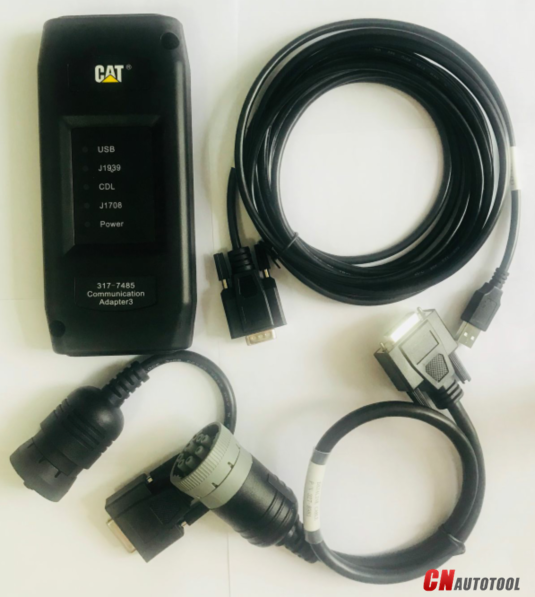
  Caterpillar Communication Adapter 3 is a CAT group dealer workshop diagnostic tool built to work with Caterpillar heavy vehicles and Caterpillar engines. This adapter connects any computer (notebook or PC) to CAT vehicle or engine and can perform all diagnostic services by Caterpillar ET (Electronic Technician – Caterpillar Electronic Technician) software.
 
CAT adapter can do diagnostic operations for all Caterpillar vehicle and engine models with electronic controls.
 
Communication:
 
Allows communication between service tools and engine controls using various data links such as J1939/11, DeviceNet (future release), CAT DataLink, and J1708 (ATA) vehicle networks;
Flash program allows adapter firmware upgrades as additional features become available;
Uses J1939/11, high-speed data link (part of ADEM III controls), substantially reducing flash times;
Automatically selects J1939/11 when flashing the engine (reduces the flash time approximately 80%, from 14 minutes to 3 minutes).

With the CAT Diagnostic Tool, you can:
View active and logged diagnostics
View events where irregularities occurred and were logged by the ECM
View the status of a group of parameters (temperatures, pressures, etc.) simultaneously
Record and log performance data
Graph a group of status parameters
View the current configuration of an ECM
Change ECM configurations
Perform diagnostic tests
Perform calibrations
Print reports and diagnostic results
For some machine and engine products, additional functionality has been included with the service tool program


To get the vehicle information the Cat ET software must be connected to the Electronic Control Module (ECM). For this purpose, you need a suitable diagnostic link adapter (DLA), for instance, Genuine CAT Comm Adapter III

The list of supported CAT machines and engines can be found below(if your vehicle is missing, please contact us we will double check):
Engines:
Electric Power
Electric Power Generation
Industrial
Marine Power Systems
Oil and Gas

Machines:
Articulated Trucks
Asphalt Pavers
Backhoe Loaders
Cold Planers
Compactors
Dozers
Drills
Excavators
Feller Bunchers
Forest Machines
Forwarders
Harvesters
Hydraulic Mining Shovels
Knuckleboom Loaders
Material Handlers
Motor Graders
Off-Highway Trucks
Pipelayers
Road Reclaimers
Site Prep Tractors
Skid Steer and Compact Track Loaders
Skidders
Telehandlers
Track Loaders
Underground - Hard Rock
Underground - Longwall
Underground - Room and Pillar
Utility Vehicles
Wheel Dozers
Wheel Excavators
Wheel Loaders
Wheel Tractor-Scrapers


2019年1月5日星期六

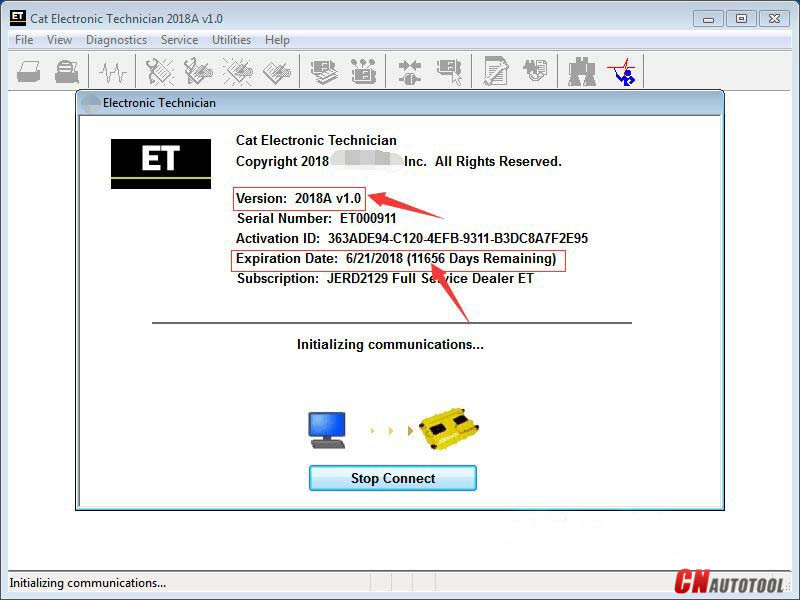
2018A Version CAT Caterpillar ET Diagnostic Adapter III

We will install the software before ship, so you can get it work directly after you receive it.
2018A Cat ET software as Cat Caterpillar ET 2015A Software update version, 2018A Caterpillar Electronic Technician softwarer With CAT ET 3 Cat caterpillar adapter 3 support caterpillar diagnostic till 2018.
13-1
Cat et Caterpillar Electronic Technician Software 2018A V1.0:
Type of catalogue: Caterpillar Electronic Technician Diagnostic Software
Make: Caterpillar
Region: WorldWide all region
Inclusive languages: English, Chinese, Danish, French, German, Italian, Japanese, Portuguese, Russian, Spanish
Caterpillar ET Software 2018A Function:
This diagnostic app allows you to:
View active and logged diagnostics.
View events where irregularities occurred and were logged by the ECM.
View the status of a group of parameters (temperatures, pressures, etc.) simultaneously.
Record and log performance data.
Graph a group of status parameters.
View the current configuration of an ECM.
Change ECM configurations.
Perform diagnostic tests.
Perform calibrations.
Print reports and diagnostic results.
Please keep in mind that some ecm settings for example, speed limit requires factory password. The factory password generator is not included in this application
Package :
1.Used Dell D630 laptop
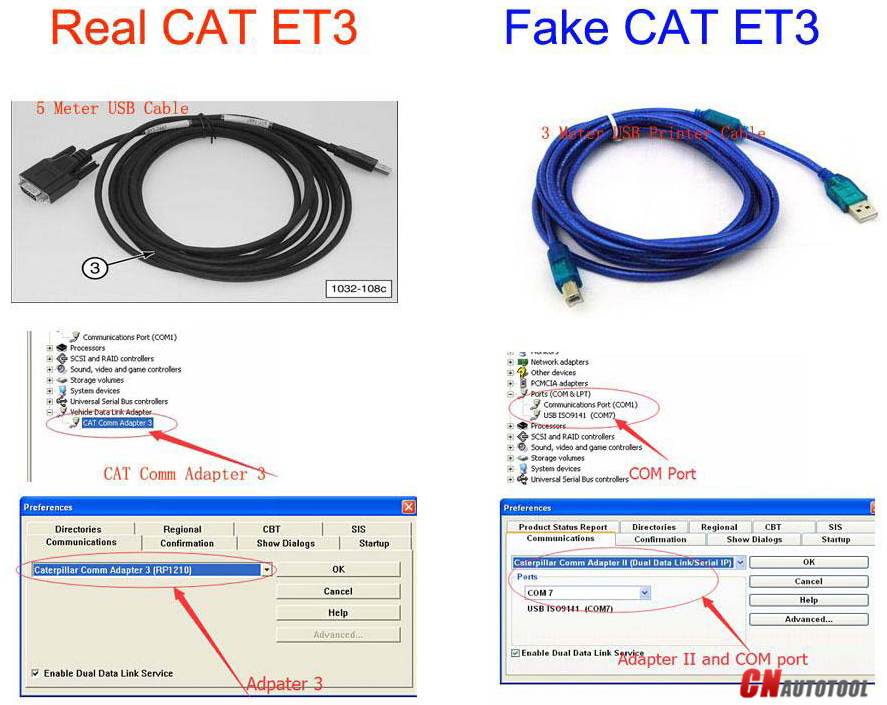
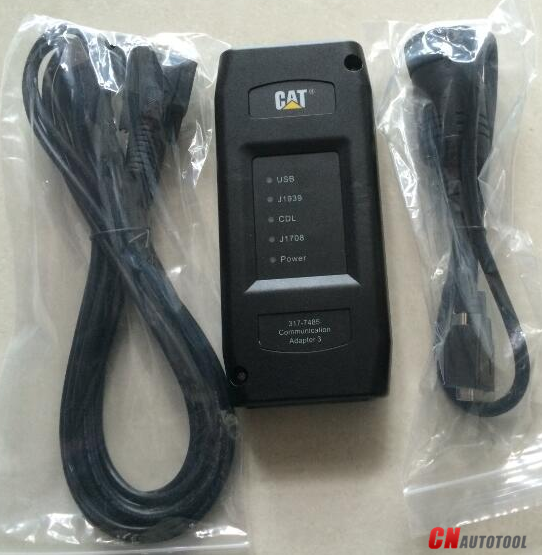
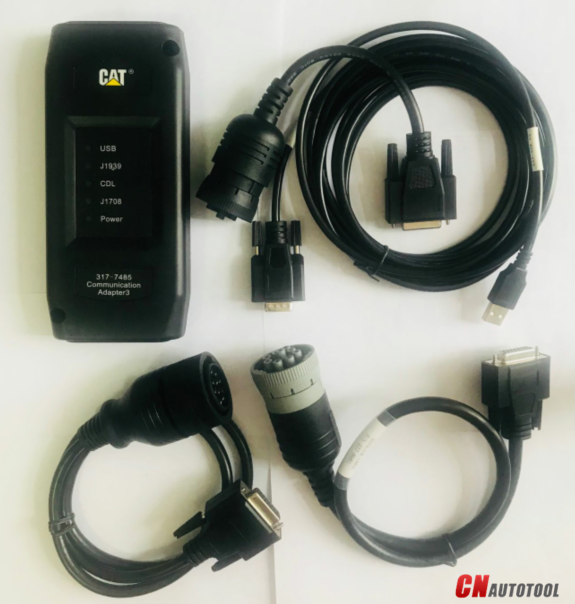
2.Real CAT et3 Comm Adapter III(it's best quality cat et 3,not adapter 2,please check Communication port)
3.USB Cable (From device to your computer)
4.J1939/J1708 Cable (from device to your truck)
Original Factory Caterpillar ET3 Adapter III Compare With OEM Caterpillar ET Diagnostic Adpater III
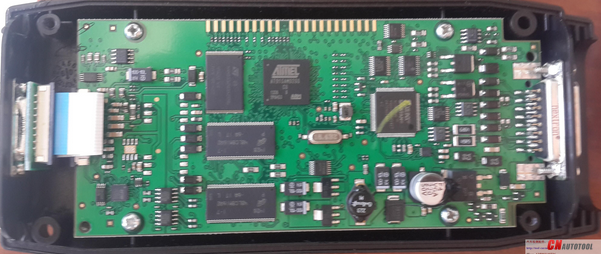
1. Original Factory CAT ET can use once pluged, no need install the USB drive, the software can automatic realize it for ET3 Adapter, and the machine can automatic weld the high quality Circuit board, quality will be more reliable.
2. The OEM Caterpillar ET Diagnostic Adapter III need use USB Drive to install, and need choose the COM Port, and  in the software ET also need choose ET2 then can be used.
The Details as follows:
13-2
13-3
13-4
Package 1 :
 
1.Used Dell D630 laptop
2.Real CAT et3 Comm Adapter III(it's best quality cat et 3,not adapter 2,please check Communication port)
3.USB Cable (From device to your computer)
4.J1939/J1708 9PIN Cable (from device to your truck)
5.6PIN Cable (for old truck)
13-5
Package 2:
1.Used Dell D630 laptop
2.Real CAT et3 Comm Adapter III(it's best quality cat et 3,not adapter 2,please check Communication port)
3.USB Cable (From device to your computer)
4.J1939/J1708 9PIN Cable (from device to your truck)
5.6PIN Cable (for old truck)
6.14PIN Cable(for new truck,optional)
13-6

2018年12月17日星期一

This Version CAT Caterpillar ET Diagnostic AdapterDisplay Status of All Parameters

CAT Caterpillar ET Diagnostic Adapter retrieve engine totals for fuel used, miles traveled, and hours Operated. CAT Caterpillar ET Diagnostic Adapter display status of all parameters, such as engine speed, Throttle position, timing advance, fuel flow, etc.

The PC-based service tools from Caterpillar provide the capability to access Electronic Control Modules (ECMs) from a personal computer. Many job-critical tasks can be performed with an electronic service tool. The user can display the status of a group of parameters (temperatures, pressures, etc.) simultaneously, view active and clear logged diagnostics, display the current configuration of an ECM and much more. The service tool works with a communication adapter to allow connection to an ECM. A graphical interface makes this software quick to learn and easy to use. A separate pull-down menu for each function enhances the “ease of use.” The version and identification of the ECM is automatically retrieved and is displayed on a summary screen when the program is started. Diagnostic tests and calibrations can also be performed.

Languages currently supported: Danish, English, French, German, Italian, Japanese, Portuguese and Spanish.

CAT ET 2 function:


1. Display "Logged Event Codes" to show engine over speeds, High temperatures, fuel consumption, etc.
2. View ECM’s current configuration and change user settings
3. Perform diagnostic tests and calibrations, and calibrate
4. Electro-mechanical and electro-hydraulic components
5. Context sensitive help leads operator through every task Cat ET can perform
6. Data Logger and Data Log Viewer allows recording of ECM signals for delayed troubleshooting capability.

Functionalities Shows all operating conditions that cause high repair costs such as:
Over speeds, high temperatures, fuel consumption, transmission shift counts. This can provide awareness to change operator

Cat "ET Trainer" is now included in ET Program. It allows Users to train and practice using Cat ET without a Communications adapter or Electronic Control Module (ECM).This is a free feature of Cat ET.

Specification:

1. ECM Summary screen lists every control module on equipment
2.Being tested and gives information on these modules.
3. Fast hookup and real time display of systems status. Displays ,readings such as rpm, boost, pressures, temperatures, etc. for Easy troubleshooting.
4. Identifies faulty sensors, harness connectors, and system parameters which are out of specification. Allows customers
5. To help dealer identify problems without visiting machine.
6. Identifies intermittent sensors and wiring problems during Machine operation and keeps a record of each one. Shows when problem occurred and how often it happened.
7. Added information to allow customer to assist dealer in diagnosing and repairing problems. (Troubleshooting Help is not built in with in the program, you will still need go back to books in order to follow a repair description and steps in each Fault Code display within the program).English and metric units of measure integrated help file to easy learn the "How To" around the software.

Software:

(1) Designed to run with Microsoft Windows XP
(2) Ready to use, just install software program onto PC using provided CD

Package list:

1 x CAT Adapter II main unit
1 x USB cables
1 x Diagnostic cable
1 x Software CD (diagnostic program Caterpillar ET 2010)