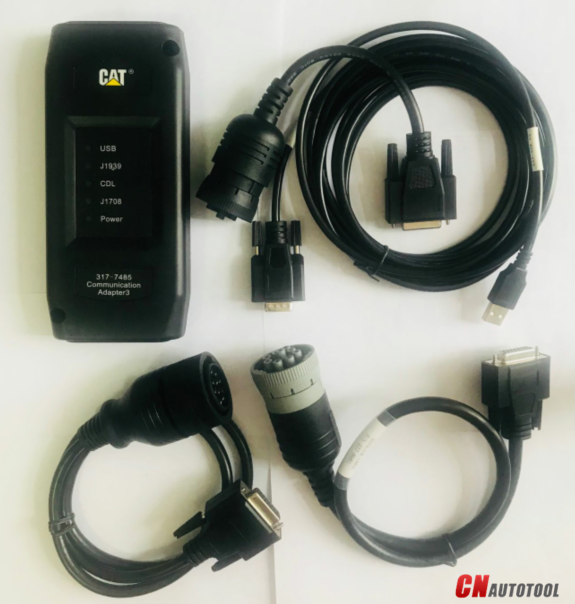
We will install the software before ship, so you can get it work directly after you receive it.
2018A Cat ET software as Cat Caterpillar ET 2015A Software update version, 2018A Caterpillar Electronic Technician softwarer With CAT ET 3 Cat caterpillar adapter 3 support caterpillar diagnostic till 2018.

Cat et Caterpillar Electronic Technician Software 2018A V1.0:
Type of catalogue: Caterpillar Electronic Technician Diagnostic Software
Make: Caterpillar
Region: WorldWide all region
Inclusive languages: English, Chinese, Danish, French, German, Italian, Japanese, Portuguese, Russian, Spanish
Caterpillar ET Software 2018A Function:
This diagnostic app allows you to:
View active and logged diagnostics.
View events where irregularities occurred and were logged by the ECM.
View the status of a group of parameters (temperatures, pressures, etc.) simultaneously.
Record and log performance data.
Graph a group of status parameters.
View the current configuration of an ECM.
Change ECM configurations.
Perform diagnostic tests.
Perform calibrations.
Print reports and diagnostic results.
Please keep in mind that some ecm settings for example, speed limit requires factory password. The factory password generator is not included in this application
Package :
1.Used Dell D630 laptop
2.Real CAT et3 Comm Adapter III(it's best quality cat et 3,not adapter 2,please check Communication port)
3.USB Cable (From device to your computer)
4.J1939/J1708 Cable (from device to your truck)
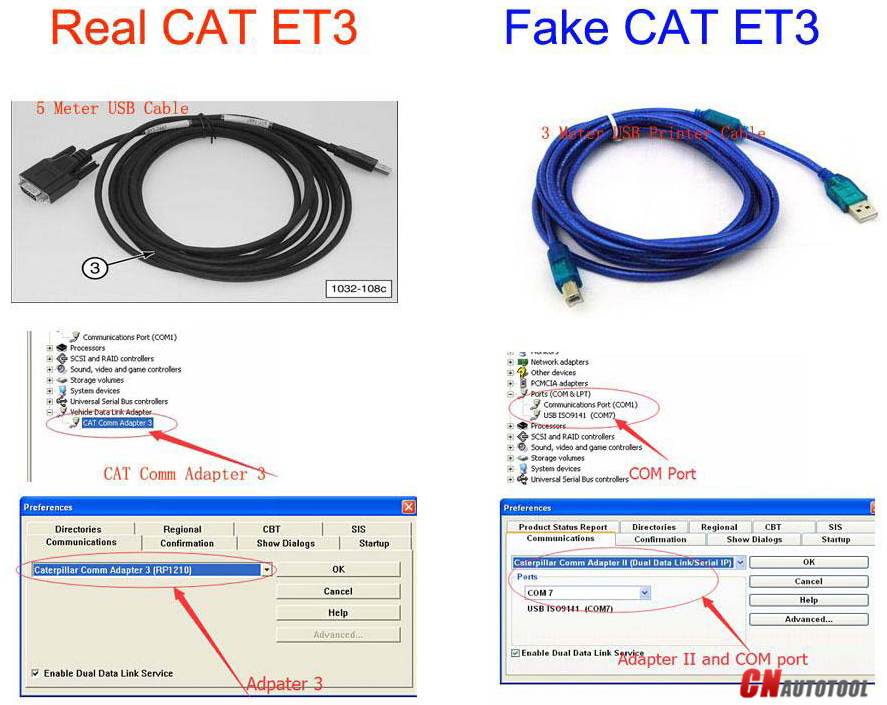
Original Factory Caterpillar ET3 Adapter III Compare With OEM Caterpillar ET Diagnostic Adpater III
1. Original Factory CAT ET can use once pluged, no need install the USB drive, the software can automatic realize it for ET3 Adapter, and the machine can automatic weld the high quality Circuit board, quality will be more reliable.
2. The OEM Caterpillar ET Diagnostic Adapter III need use USB Drive to install, and need choose the COM Port, and in the software ET also need choose ET2 then can be used.
The Details as follows:


1.Used Dell D630 laptop
2.Real CAT et3 Comm Adapter III(it's best quality cat et 3,not adapter 2,please check Communication port)
3.USB Cable (From device to your computer)
4.J1939/J1708 9PIN Cable (from device to your truck)
5.6PIN Cable (for old truck)

Package 2:
1.Used Dell D630 laptop
2.Real CAT et3 Comm Adapter III(it's best quality cat et 3,not adapter 2,please check Communication port)
3.USB Cable (From device to your computer)
4.J1939/J1708 9PIN Cable (from device to your truck)
5.6PIN Cable (for old truck)
6.14PIN Cable(for new truck,optional)

2018A Cat ET software as Cat Caterpillar ET 2015A Software update version, 2018A Caterpillar Electronic Technician softwarer With CAT ET 3 Cat caterpillar adapter 3 support caterpillar diagnostic till 2018.
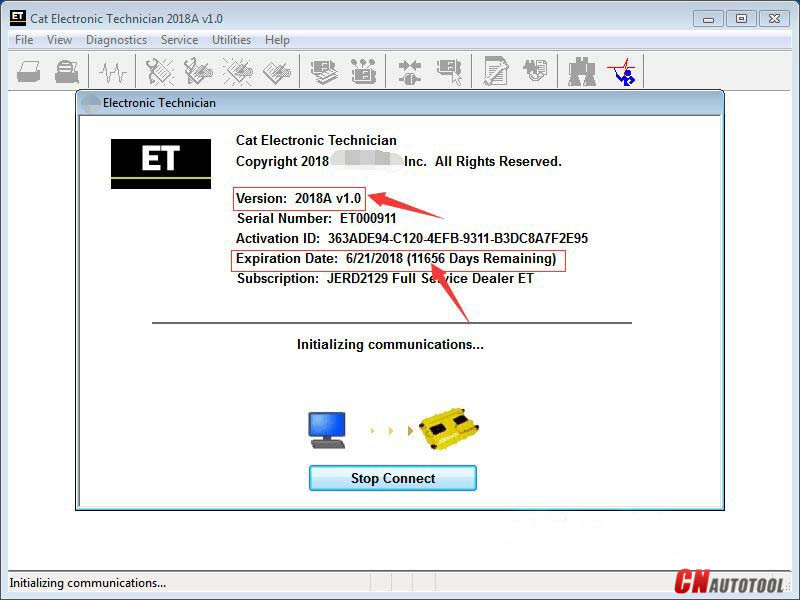
Cat et Caterpillar Electronic Technician Software 2018A V1.0:
Type of catalogue: Caterpillar Electronic Technician Diagnostic Software
Make: Caterpillar
Region: WorldWide all region
Inclusive languages: English, Chinese, Danish, French, German, Italian, Japanese, Portuguese, Russian, Spanish
Caterpillar ET Software 2018A Function:
This diagnostic app allows you to:
View active and logged diagnostics.
View events where irregularities occurred and were logged by the ECM.
View the status of a group of parameters (temperatures, pressures, etc.) simultaneously.
Record and log performance data.
Graph a group of status parameters.
View the current configuration of an ECM.
Change ECM configurations.
Perform diagnostic tests.
Perform calibrations.
Print reports and diagnostic results.
Please keep in mind that some ecm settings for example, speed limit requires factory password. The factory password generator is not included in this application
Package :
1.Used Dell D630 laptop
2.Real CAT et3 Comm Adapter III(it's best quality cat et 3,not adapter 2,please check Communication port)
3.USB Cable (From device to your computer)
4.J1939/J1708 Cable (from device to your truck)
Original Factory Caterpillar ET3 Adapter III Compare With OEM Caterpillar ET Diagnostic Adpater III
1. Original Factory CAT ET can use once pluged, no need install the USB drive, the software can automatic realize it for ET3 Adapter, and the machine can automatic weld the high quality Circuit board, quality will be more reliable.
2. The OEM Caterpillar ET Diagnostic Adapter III need use USB Drive to install, and need choose the COM Port, and in the software ET also need choose ET2 then can be used.
The Details as follows:
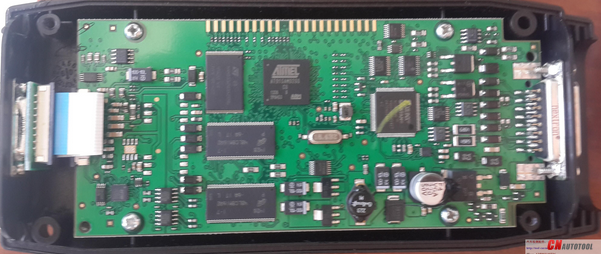
Package 1 :
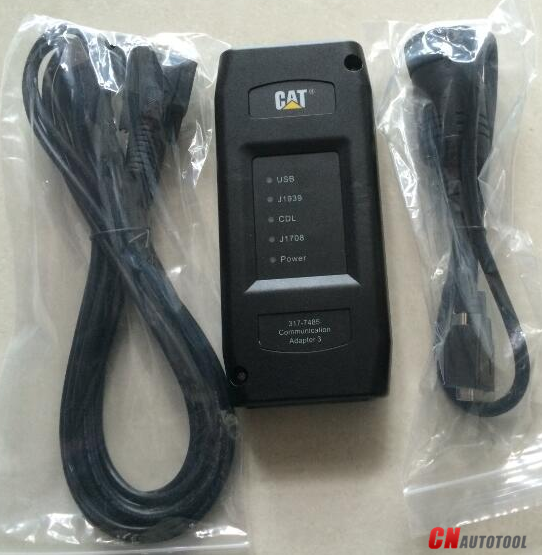
2.Real CAT et3 Comm Adapter III(it's best quality cat et 3,not adapter 2,please check Communication port)
3.USB Cable (From device to your computer)
4.J1939/J1708 9PIN Cable (from device to your truck)
5.6PIN Cable (for old truck)
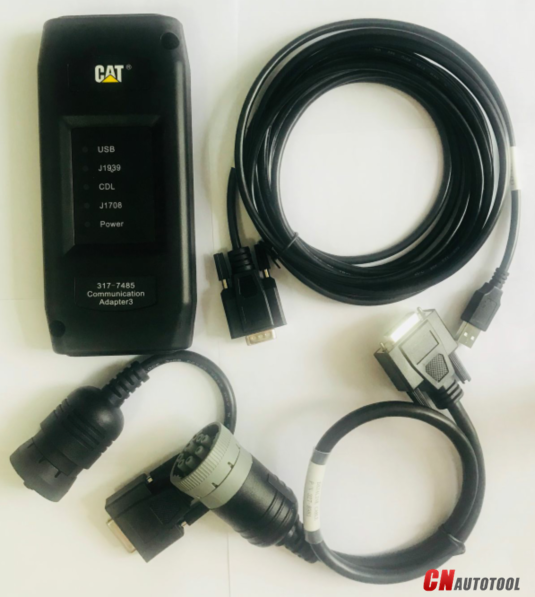
Package 2:
1.Used Dell D630 laptop
2.Real CAT et3 Comm Adapter III(it's best quality cat et 3,not adapter 2,please check Communication port)
3.USB Cable (From device to your computer)
4.J1939/J1708 9PIN Cable (from device to your truck)
5.6PIN Cable (for old truck)
6.14PIN Cable(for new truck,optional)