2020年5月5日星期二

X431 V / X431 V+ / X431 PRO / X431 PRO3 FAQ

1.X431 APP is deleted by mistake:

X431 Tablet connect Wifi network, open the browser, enter into CnAutotool.com  to select the correct APP to download


2. X431 out of memory capacity alert after upgrades , could operate as following:

Method: click setting on the desktop of X431 main unit —-click storage—-find “format phone storage” and “format SD card storage” ,  then format the phone storage and format the SD card storage.  Then click setting of the main unit—-click “application”—-find “X-431 APP” and click in—-click clear data—- appear “delete application data”, click confimation.  After completed, back to the destop of the main unit, click the vehicle icon —-, enter your user name and password to upgrade again—-complete

3.When software upgrade is completed, but the hardware version of the DBSCAR connector’s is too low, would appear “firmware upgrade”: the upgrade requires the tablet power is at least more than 20%, and Bluetooth connector connected to the car, it would take about 10 minutes for the upgrade process. (Firmware upgrade is for testing more better)

4.lost the bluetooth dbscar connector and replace a new one: click setting on the desktop of the main unit—-click Bluetooth ”—-click on ” search ” Bluetooth ” —-discovery new Bluetooth ”982” as the beginning numbers and match it, when matching, it appears to  enter the password 0000 or 1234. After Bluetooth matched, followed by the 2nd and to the 3rd step.

5.restore factory settings method:

If customer changed a new password for his tablet, later he has forgotten his new password, then he would need to restore factory settings, setting method is as follows:

Operation:

1). press together both the “volume +” and “power” buttons, it would appear engineering mode

2). Select “wipe data/factory reset” to enter into the restore factory settings (volume keys as move key, and power button as confirm key. )

3). Select “Yes” for ”delete all user data” to delete customer data

4). Select “reboot system now” to restart.

Notes:

Restore factory settings, customers’ settings as before will be lost.


The Vehicle Diagnostics software were not deleted, it remain in the “folder–mobile storage–X431”.

2020年5月4日星期一

Porsche Piwis Tester II

Porsche Piwis Tester II is the latest able tester, the a lot of poweful analyze and offline programming apparatus for Porsche, with latest tester for Porsche, able functions, abounding access.
3-1
Porsche Piwis Warm Tips:
Second-hand laptop CF30, 90%-95% new;
New software is continuously provided, accepted adaptation is V14.3500;
Requires ONLINE modules: (F BCM R BCM DME ELV SRS KEY).
Top 9 Reasons to Get Porsche Piwis Tester II:
1. Software Version: V14.350 ( Life-time Chargeless Upgrade )
2. Laptop: CF-30 (Second Hand)—Software is central the Hard Drive. No charge Installation
3. Support Languages: Russian, English, French, Spanish, Italian, German, Portuguese, Japanese, Chinese, Dutch
4. Amend Method: By CD or HDD (One Year for Free, It can not be adapted online. 200USD for one time amend afterwards one year.)
5. Software contains operating arrangement win XP only. you just charge to admit into your computer and use it.
6. Requires Online Modules: (F BCM R BCM DME ELV SRS KEY)
7. Porsche Piwis Tester II Software Chargeless Download (American Server)
8. PPN online account is available(key programming,etc),service amount is not included
9. Bluetooth,GPS and Navigation Function are available. But you charge to pay for the approval of them.
Porsche Piwis Tester 2 Functions:
1. Read/clear absurdity code, bolt abstracts stream, computer programming match, basal test, aliment advice consult, apparatus website drawing, base diagram.
2. Porsche Piwis Tester II works with the old and latest Porsche cars. It is able with the Panasonic laptop and aboriginal software for the test. Porsche Piwis Tester II can advice you analyze and affairs the a lot of new and old affectionate of Porsche cars. For example: 911(997)(991), Boxster/Cayman, (987), Cayenne up to MY 2010, Cayenne from MY 2011 and Panamera.
3. New Panamera can alone be diagnosed by application Porsche Piwis Tester II. Based on accepted activity planning, all beforehand car models will gradually be afflicted over to the new Porsche Piwis Tester II by the end of 2010. Porsche Piwis Tester I accept to be acclimated for beforehand models in the Porsche branch until end of 2010.
4. Support for Porsche. Piwis Tester I will no best be accessible already the beforehand analytic programs accept been transferred to Porsche Piwis Tester II.
5. When Porsche Piwis Tester II is distributed, it will accommodate one basal section of software. This is all-important in adjustment to alpha and configure the tester.
Porsche Piwis II Support Systems:
ENGINE automatio transmission, air-conditioner, SRS, ABS, ASR, MPL, GM, Aboriginal antitheft System,KEYLESS GO system, OBDII system.
Porsche Piwis II Car Coverage:
- 911(997) (991)
- Boxster/Cayman (987)
- Cayenne from MY 2011
- Panamera
- Support the newest Porsche cars
Porsche Piwis 2 Packing List:
1pc x Piwis Tester II VCI
1pcs x OBDII Cable
1pcs x USB Cable
1pcs x Instruction chiral in English
1pcs x Power supplier
1pcs x Acclimated PANASONIC CF30
Piwis Tester II Afterwards Sales Service:
1. One year chargeless maintenance
2. Life-time Chargeless Upgrade
3. Life-time abstruse support

2020年5月2日星期六

OD6 DoIP VCI Product comparison

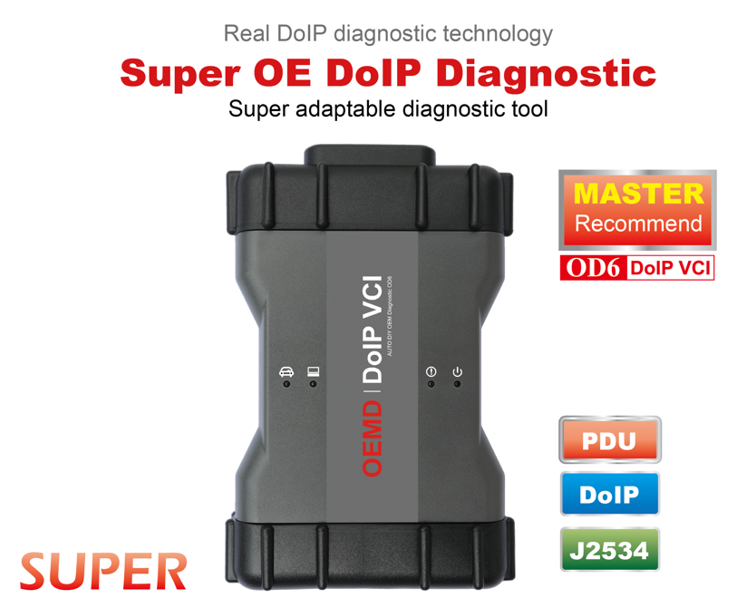
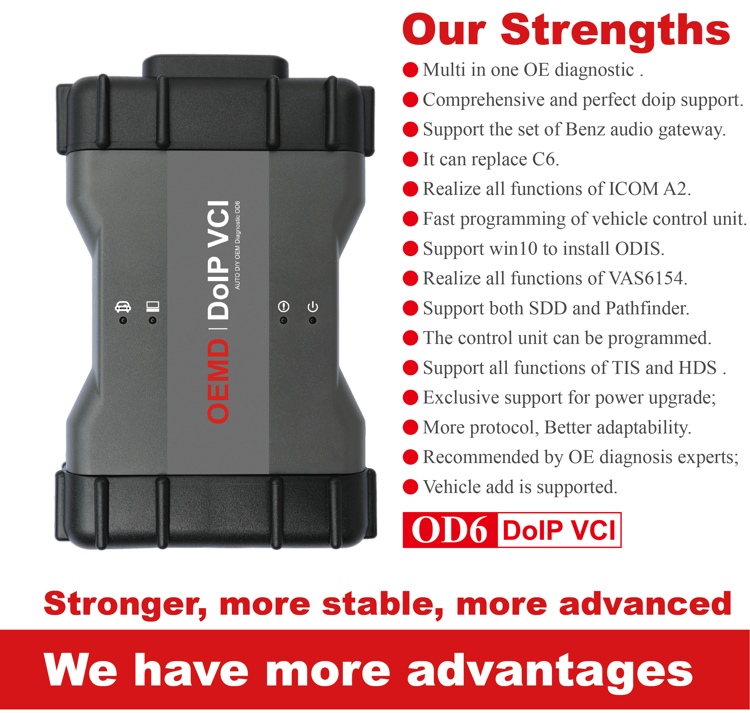
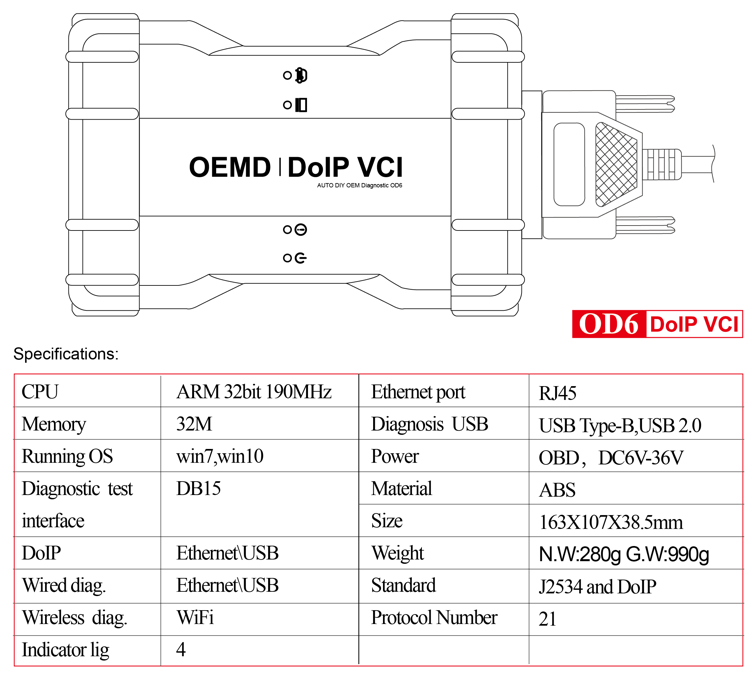
DoIP OE diagnostic tool multi in one DoIP OE diagnosis is a real DoIP original diagnosis instrument based on DOP, J2534 and more original protocols adaptation under OEMD brand. It not only supports all J2534 protocols, but also takes the lead in realizing perfect and complete DoIP adaptation in the industry, replacing the original diagnosis instrument’s adaptation ability, programming ability, diagnosis and programming speed, stability and original diagnosis. The ability of the instrument has been greatly improved, taking the lead in the industry to replace C6 in an all-round way, and it is also the first comprehensive original diagnostic instrument in the industry to realize all functions of ICOM A2 and VAS6154.  Auto Diagnostic tool OD6 has really raised the multi in one and comprehensive original diagnosis instrument to a new benchmark height, which has become the only choice for J2534 and DoIP OE diagnosis tool.
All original software will installed
1. If you select the software installed the hard disk , you can insert the hard disk to your laptop then can use it
Configuration requirements and usage of PC
1.1 Computer hardware requirements: CPU i5/i7; memory: 8g.
1.2 Usage: there are 4 options after power on, which can be selected by the up and down keys, and then click enter to confirm.
2. If you select the software installed the laptop , you can use it directly when you get it
Lenovo T420 Laptop:
Brand: Lenovo
Screen Size:14.0
Memory: 4GB
Memory (RAM): Intel (R) Core(TM) I5-2520M CPU
HD::2TB
Type: Laptop/Notebook
Condition: Used
Primary Drive: DVD+/-RW Processor Speed: 2.50GHz
An item that has been used previously. The item may have some signs of cosmetic wear, but is fully operational and functions as intended.
8-2
8-3
8-4
8-5
8-6

Launch X431 V+ /X431 V / X431 Pro / X431 Pro 3 Diagnostic Tool FAQ

There is FAQ of Launch X431 V+ /X431 V / X431 Pro / X431 Pro 3:
1.How to save power?
Please turn off the screen while X431 V+/X431 V/ X431 Pro/X431 Pro3 keeps idle.
Set a shorter standby time.
Decrease the brightness of the screen.
If WLAN connection is not required, please turn it off.
Disable GPS function if GPS service is not in use
2.What should I do in case I forgot the screen lock?
You can set screen lock as pattern or password. If you forgot the password, please consult your device provider or reset your device.
Warning: Resetting may cause data loss. Before use, please make sure important data has been backed up.
3.How to do if the system runs slow?
In this case, please do the followings:
> Check all running applications and stop the unnecessary applications (Steps: Settings > Apps > Running > Tap the desired application and then tap “Stop”).
> Check all installed applications, remove the unnecessary applications (Steps: Settings > Apps > Downloaded > Tap the desired application and then tap “Uninstall”).
If all steps mentioned above are finished and the system still works slowly. Please try to close the system and reboot your X431 V+/X431 V/ X431 Pro/X431 Pro3.
4.How to handle when you encounter “Insufficient storage space”?
If this happens while downloading the diagnostic software, please proceed as follows:
Get your X431 V+/X431 V/ X431 Pro/X431 Pro3 username and password ready. If you forgot the password, please dial our hotline to retrieve it with the product serial number 98519*******.
Reset the X431 V+/X431 V/ X431 Pro/X431 Pro3 to the default factory settings (For details, please refer to Item 5 in this Chapter).
Tap “Settings”–>“WLAN”, choose the desired WLAN network to connect.
Open the browser and visit www.dbscar.com to download and install the latest App.
After the installation is complete, launch the application and login with your username and password.
Tap –> “Update” to download the diagnostic software.
Note: For new App, the software structure and storage space occupied by the vehicle softwares have been optimized so as to avoid the occurrence of insufficient storage.
5.How to reset X431 V+/X431 V/ X431 Pro/X431 Pro3?
Resetting may cause data loss. Before doing so, please make sure important data and information has been backed up.
Do the following to reset X431 V+/X431 V/ X431 Pro/X431 Pro3:
Tap “Settings”–>“Back & Reset”;
Tap “Factory data reset”;
Tap “Reset tablet”;
Tap “Clear all data” to start resetting until the tool automatically reboots.
6.Why some videos on the website can be not played?
It possibly results from:
The current browser does not support Flash playing;
Flash player does not support this video.
Try to use other browsers to watch it or install other Flash player.
7.The data and time of X431 V+/X431 V/ X431 Pro/X431 Pro3 can not be set.
It is because Automatic date & time is set on your X431 V+/X431 V/ X431 Pro/X431 Pro3. Tap Settings > Date & time, deselect “Automatic date & time” and then set the date and time manually.

2020年5月1日星期五

Mercedes Benz C6 Vs SD Connect C4 review

Today we will look at the new generation Xentry diagnosis VCI DOIP or to give it is actual designation mercedes Benz VCI and how it will compare to the SD Connect C4 or SD connect C5
To start with both the clone and original C6 or VCI are of lower quality outer shell, yes the genuine one from Mb looks and feels much worse than C4 or C5 copies, because it has a plastic cover and feels very cheap and nasty, yet the only advantage we are aware of so far is the C6 VCI has the DOIP protocol for the latest cars and mainly to communicate with the new wide screen command system, but we have the real C5 which also has this new car diagnostics protocole.
MB Star is undergoing some major changes and many of the services are moving online.
This started last year with EPC Electronic Parts Catalog, which is now online only.
also, noted the Mercedes Xentry made for SD connect C4, C5 will not work with C6 VCI because the chinese manufacturers have built their Mercedes C6 to work with only the software they produce which can be expensive when updating
We anticipate more changes in the coming few months, but here at Pro Auto Diagnostics we are ready for all the changes and we will have solutions for the independent Mercedes specialists and the services garages alike.
in conclusion we think the C4 represents better value for money for the novice user who should wait until they can use Star Diagnosis with confidence before moving to more advanced Vehicle Communication Interface, The C6 VCI seen in the photo is what a good high quality clone should look like and not the VCM2 encased version which is of lower quality
We only stock the highest quality VCI call us for free consultation.

2020年4月30日星期四

Porsche Tester III Diagnostic Tool V38.900.000 Piwis 3 Software Installed Lenovo S1 yoga12 Laptop Ready To Use

The Porsche PIWIS 3 (PST3) is the newest Diagnostic Tool in the market. It can read trouble code, clear trouble code, shows ECU information. It test live data, display actual values, and programs. On all; process malfunction navigation, showing all interior circuit diagram. Specially if  were produced after 2005. The PIWIS III has original oscillometer and multi-meter Function. It is the absolutely necessarily tool for the job.
1.Piwis 3 With V38.900.000 Piwis III Software for Porsch Cars diagnostic & Programming.
2.Piwis 3 with developer mode software & TeamViewer Installed Lenovo Laptop Ready To Use, cover all piwis 2 functions.
3.With New DoIP Ethernet diagnostic technology,Supports Porsche Models after 2002.
Top 4 Reason to get Tester III Diagnostic Tool :
1. Exclusive support for P0rsche third generation diagnostic PIWIS 3
2. New DoIP Ethernet diagnostic technology
3. Luxury car diagnosis, ultra low threshold
4. Support Porsche Models after 2002.
Update method : Send SSD back or buy a new SSD
PIWIS III with Piwis 3 Software Details:
1.Piwis tester 3 With Two Version System Software
(1) V38.900.000(without Engineering software support online programming)
(2) V38.20(with Engineering software support offline programming)
2.Update: Send Laptop with SSD back to upgrade, 1 year for free, after one year, 100usd/time
3.Support Multi-Languages: German, English, US English, French, Italian, Spanish, Japanese, Chinese, Russia, Portuguese, Nederlands
4.Vehicles Coverage: Support all Porsch till Nowaday
Piwis III Supports New & Old Cars:
All Porsche from 1998-2019:
1.Porsche 911(997) (991)
2.Boxster/Cayman (987)
3.Cayenne up to MY 2010
4.Cayenne from MY 2011
5.Panamera
Especially the latest models:
1.Paramera (971) 2018
2.Caynenne (92A) 2018
3.Macan (95B) 2018
4.911 (991) 2018
Also support All Other Old car models
Porsche PIWIS TESTER PIWIS3 Features & Functions :
1. New operating system and more intuitive software interface
2. New VCI, support for models with DoIP diagnostics after 2017
3. Maintenance, repair, control unit replacement, programming code
4. Login online anti-theft matching programming
5. Guided fault finding
6. Maintenance circuit diagram view
7. Engineer mode (development version) can support special functions such as installing, modify, Flash.
Piwis Tester 3 Lenovo (Second Hand) laptop details:
Brand: Lenovo
Model: Lenovo Yoga12
Processor: i5 CPU, 8G RAM
SSD:256GB
Screen: Touch Screen
Package Listing :
1× Piws3 Tester
1× OBDII Cable
1× USB Cable
1× 256GB Software SSD
1× Lenovo S1 yoga12 I5 5300U 8GB (Second Hand)

2020年4月29日星期三

Porsche PSE Retrofit Coding with PIWIS Tester

The coding procedure can be applied to All Porsche Models.
Diagnostic system required: Porsche PIWIS II, Porsche Piwis Tester III


PSE retrofit coding is done as follows:

The sports exhaust system button can only be coded on the right-hand side of the switch console.
Code keypad assignment.

REPLACING SWITCH CONSOLE (ALL MODELS) > ENABLING SPORT/SPORT PLUS/SPORT CHRONO PLUS FUNCTION
Information
On vehicles with the equipment variant SPORT/SPORT Plus/Sport Chrono Plus, a function enable process must be carried out after replacing the switch console.
1. Determine function enabling code in PIWIS.
2. Connect the Porsche PIWIS Tester to the vehicle and start the System Tester. Switch on ignition.
3. Select the vehicle type and start the PIDT.
4. Select Air conditioning control unit using the cursor keys and press [F12].
5. Select Drive links/checks .
6. Select Function enable using the cursor keys and press [F12].
7. Enter the function enabling code and save it by pressing [F8].​
REPLACING SWITCH CONSOLE (ALL MODELS) > ENABLING SPORT/SPORT PLUS/SPORT CHRONO PLUS FUNCTION > CODING KEYPAD
ASSIGNMENT
1.Connect the Porsche PIWIS 3 to the vehicle and start the System Tester. Switch on ignition.
2. Select the vehicle type and start the PIDT.
3. Select Air conditioning control unit using the cursor keys and press [F12].
4. Select Codings/adaptations .
5. Select Customer-specific settings using the cursor keys and press [F12].
6. Select Keypad assignment and press [F12].
7. Check the button assignment using the switch console.​
7.1. Select function of the switches from the shortcut menu if necessary.​
8. Press [F8] to save the button assignment.
9. The message Data has been written appears on the Tester screen. Press [F12] to exit.
10. Read out the fault memory and erase it if necessary.
11. Check the function of the switch console during a test drive.​
Maintenance of vehicle data

Select Additional menu by pressing F7 .​
Select the Maintenance of vehicle data function. Press F12 until M numbers​ appears in the Value group column.​
Select 176 – Sports exhaust system in the Coding value column. When you​ touch the Installed cell, a tick appears.​
Save the values by pressing F8 . Wait until the message Modified values have​ been buffered appears.​
Press F12 until F8 can be activated.​
Press F8 to write values. Wait until the message Generation of vehicle data is​ complete appears.​
Press F12 to switch to Log management. Open the log by pressing F10 and​ check that vehicle equipment 176 Sports exhaust system is displayed.​
Adapt coding

Press F11 to return to the list of control units.​
Select all control units.​
Switch to the Codings/adaptations menu.​
Select Automatic coding. Press F12 to continue. Wait until the message Coding has been completed successfully appears. Press F12 to continue.​
Once coding is complete, read out the fault memories of all systems, work through any existing faults and erase the fault memories.


www.cnautotool.com