显示标签为“Consult3 Plus”的博文。显示所有博文

2021年1月24日星期日

Do you know How to solve Nissan Consult 3 Plus NOT Connect to PC


This is for those with a Nissan consult 3 plus interface not connected to the PC.

Usually when users power it up, only the red power led comes on and nothing more.

attach a photo…and help on how to resolve this problem, from mhhauto.com
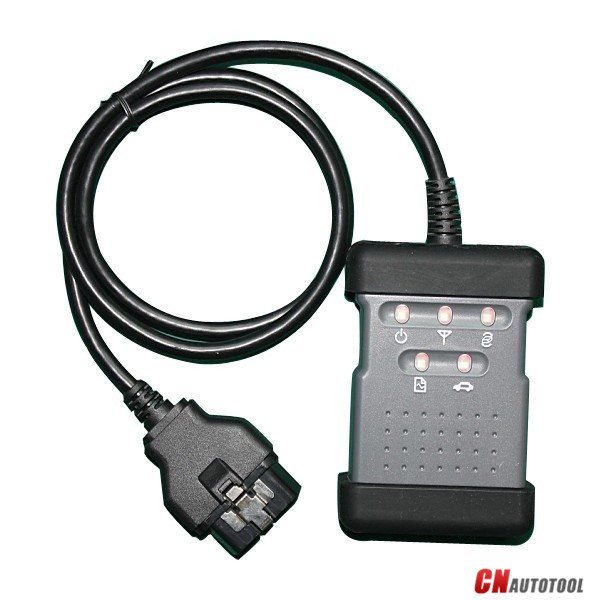
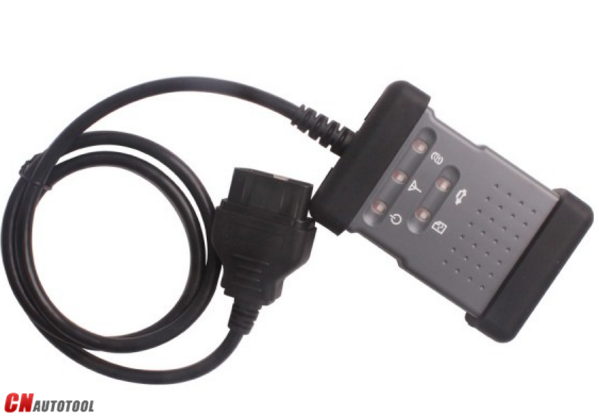
Nissan Consult 3 Plus

Suggestion from experienced users:

1: close anti-virus program & disconnect internet connecton

Anti virus program oder firewall/auto protect activ

This software may disturb/block the vi- recognitoin routine of c3+.

in my case (using a passthru device) i disconnected the internet connection, deactivated the auto protect function and after starting c3+ again, the led became green….

I think to remember , you have to connect the original vi to the car and the laptop, both. Only connection to the laptop is not enough for c3+ to recognize the original vi.

2: check usb circuit on pcb and usb sockets on pc

If you have basic knowledge of checking the pcb and components internally, check the usb circuit etc. and have a try on another laptop to eliminate faulty usb sockets on pc

3: check wires, solder breaks, etc.

Use a multimeter and check for broken wires between obd plug and pcb , check for solder breaks on pcb where plugs and connections are soldered to, basic fault finding, check for pcb damage like scorch marks or discoloration and components for signs of stress or damage, use a high power magnifier.

4: check continuity

Then its a case of deeper fault finding using things like scope, function generator etc, check continuity with cable plugged into the interface in case one of the contacts is bad then follow connections as far as you can on pcb to check for breaks on the board.

http://obd2scantool.net/2021/01/25/do-you-know-how-to-solve-nissan-consult-3-plus-not-connect-to-pc/

2020年12月31日星期四

Newest Nissan Consult 3 Plus


Nissan Consult 3 Plus
What Nissan Consult 3 Plus?

Nissan Consult 3 Plus is a diagnostic software special for Nissan,support all the models of the Nissan and Infiniti from 1996 up till now, with all Consult II & III functions.It can support all Nissan car,Infiniti carand Nissan GTR.

Nissan Consult 3 Plus Functions List:

Supports ECM reprogramming on most 1999 model year and later and some TCM and ABS/VDC reprogramming.

Supports blank ECM and TCM programming.

Supports ECM reprogramming on most 1999 model year and later and some TCM and ABS/VDC reprogramming.

Supports blank ECM and TCM programming. September 2013 Nissan and Infiniti began the phase-in of “blank” service part ECMs and TCMs. Depending on the model and model year, replacement modules come WITHOUT software. When the replacement module is installed in an applicable vehicle for any reason, it will need to be programmed.

Optional Security Card-Type A Kit must be approved security professional to purchase

Nissan Consult 3 Plus Specifics:

PC Based: PC Require

Model Year Coverage: The Consult-III Plus is required for all 2013 and newer Nissan and Infiniti vehicles. In addition, the Consult-III Plus is required for all: 2011 and newer Nissan LEAF, Quest, and Murano CrossCabriolet vehicles; 2012 and newer Nissan GT-R and NV vehicles; and 2012 and newer Infiniti M and M Hybrid vehicles. The Consult-III Plus software is continuously being updated to accommodate new vehicles as well as older model years dating back as far as 1996.

PC Recommended: Nissan Specific, Panasonic Toughbook

Software License:https://www.nissan-techinfo.com/

Nissan Consult 3 Plus Support Car Models:

Diagnostics:for all Nissan,Infiniti,GTR
Immo and Smart key:for all Nissan,Infiniti,GTR
Nissan GTR: for Nissan GTR Diagbostics and Immobi
Electromobiles car:for Nissan Electromobiles car Diagbostics and Immo

Nissan and Infiniti from 1996 up till now
Note:Consult III Plus – 1996MY up

Nissan Consult 3 Plus Support Languages:

English, Portuguese (Newly Add), French, German, Spanish, Italian, Japanese, Russian, Finnish, Greek, Chinese(Simplified), Chinese(Traditional)
2-1
Nissan Consult 3 Plus Installation OS Requirement:

Operating System Environment

*   Windows: Windows? 2000, Windows XP, Windows Vista, Windows 7, 8 or 8.1
*   Mac: Macintosh 8.x, 9.x, OS X
*   Disk Storage: 10 MB available hard-drive space
*   Display Resolution: 800 x 600 pixels (1024 x 768 recommended)

Nissan Consult 3 Plus Installation Guide:

The installation methods of different Consult 3 may be similar,if there here is no version that you have or you have higher version,please try to install it referring to these method by yourself.If you are interesting in Nissan Consult 3 Plus, please visit our website sale@cnautotool.com

2020年12月25日星期五

Why to get Get the Nissan Consult 3 Plus


V75 Consult-3 Plus for Nissan Nissan Diagnostic Tool Support Programming 

20-1

Top 7 Reasons to Get Nissan Consult 3 Plus:
1. Support Nissan till year 20181.Consult-3 plus = Consult-3 for Nissan + Consult-2 for Nissan
2.Software Version: CSP Software Version : CSP V41.10; Programming Data Version : plus_V75
3.Supports all the models of the Nissan and Infiniti from 1996 to 2018, with all Consult II & III functions .
4.Calcaulate the password for the new cars till year 2018 with NISSAN Password.
5.Supports ECU Programming without card
6.Can be installed on Windows XP, WIN7 & WIN10Windows XP and Windows 7/8/10 operating system. Cannot work on VISTA O/S. ( Windows XP SP3,Windows 7 Pro/Ultimate  is also supported)
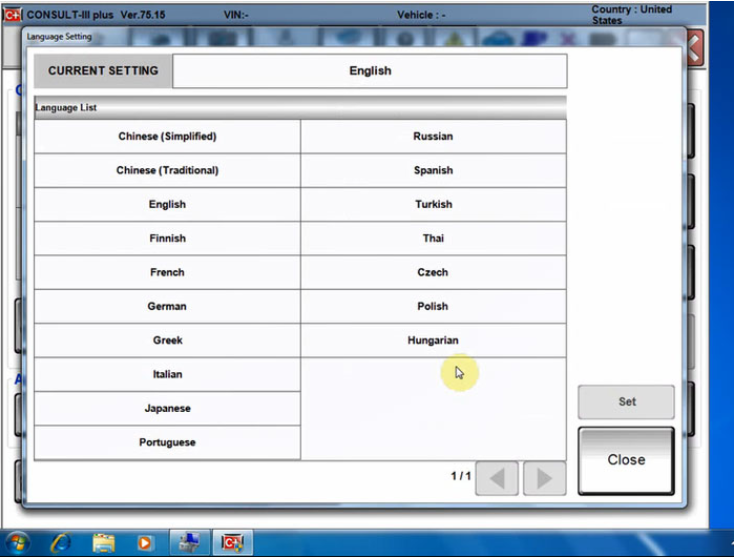
7.Suppored Languages: English, Chinese, Finnish, French, German, Greek, Italian, Japanese, Portuguese,Russian, Spanish, Turkish, Thai, Czech, Polish, Hungarian

31-1


Consult -3 Plus for Nissan Function:
Consult-3 Plus for Nissan can support all the models of the Nissan and Infiniti from 1996 up till now, with all Consult II & III functions .
And Consult III Plus can calcaulate the new 20 digital password for the Nissan new cars.

1. Consult-3 Plus for Nissan (Nissan Consult 3+) work for all nissan car , infiniti car and nissan gtr car to 2018.
2. Consult-3 Plus for Nissan work with obd-16 connector for the new kind of car, work with 14 pin connector for the old kind of car.
3. Consult-3 Plus for Nissan support nissan car electrolic system diagnostic function.
4. Consult-3 Plus for Nissansupport nissan electromobiles such as Leaf.

Conslu-3 for Nissan Car List:

1. Scantool Diagnostics:for all Nissan,Infiniti,GTR
2. Immobi and Smart key:for all Nissan,Infiniti,GTR
3. Nissan GTR: for Nissan GTR Diagbostics and Immobi
4. Electromobiles car:for Nissan Electromobiles car Diagbostics and Immobi.For immobilizer key programming function, you need to purchase Nissan Conslut-3 Plus Security card together.

Nissan Consult3 Plus v75.20 software installation:
1.Uninstall the firewall, antivirus software.
2.Install the Consult 3 plus V75.20 to the C drive in the “NTFS” format.
3.Nissan Consult 3 Plus V65.12 & up adds ECU programming function without working with immobiliser card.

Consult-3 for Nissan Packing List:

1pc* Consult 3 Plus for Nissan Vehicle Communication Module + OBD16 Cable
1pc* 14Pin Line for Nissan
1pc* USB 2.0 Cable
1pc* Bluetooth
1pc* Casebox
1pc* HDD 160G (option)

FAQ
Q1: What is the difference among Nissan consult 3, consult 4 and Nissan consult 3 plus? Can Nissan consult 4 remap ECU and change IGN time-limited parameter?Q1: What is the difference among Nissan consult 3, consult 4 and Nissan consult 3 plus? Can Nissan consult 4 remap ECU and change IGN time-limited parameter?
A1:
1) Nissan consult 3 and consult 4 share the same software version and parts, the difference between them is the appearance and the quality;
2) Nissan consult3 plus is the newest-released Nissan diagnostic  it supports the Nissan up to 2018 year. And only Nissan Consult 3 Plus can support programming.

Q2: What additional card needed when use Nissan Consult-3 plus to make key?
A2: It need additional card, it needs for making key, this card is Nissan Consult-3 plus Security Card, otherwise the button “Immobilizer key” is gray color and is unavailable

Q3: Can i use this nissan consult 3 plus to program tcm and bcm?
A2: Yes, but you need to have the program file.

Q4: Does your Nissan consult 3 plus contain Battery registration card?
A6: No, it doesn’t.

Q5: Do you have any instruction for software installation?
A7: Yes. There is the software installation video on our website. There is the software installation manual in the package too. You can follow them to install the software. Attention: Nissan consult software must be installed on XP system.

Q6: Can i use your nissan consult 3 to program tcm and bcm?
A8: This nissan consult 3 plus support this two function. But if you want to use this two function, you need have the programming file by yourself.

2020年9月12日星期六

How to solve Nissan Consult 3 Plus NOT Connect to PC


This is for those with a Nissan consult 3 plus interface not connected to the PC.

Usually when users power it up, only the red power led comes on and nothing more.

attach a photo…and help on how to resolve this problem, from CnAutotool.com
20-1

Suggestion from experienced users:

1: close anti-virus program & disconnect internet connecton

Anti virus program oder firewall/auto protect activ

This software may disturb/block the vi- recognitoin routine of c3+.

in my case (using a passthru device) i disconnected the internet connection, deactivated the auto protect function and after starting c3+ again, the led became green….

I think to remember , you have to connect the original vi to the car and the laptop, both. Only connection to the laptop is not enough for c3+ to recognize the original vi.

2: check usb circuit on pcb and usb sockets on pc

If you have basic knowledge of checking the pcb and components internally, check the usb circuit etc. and have a try on another laptop to eliminate faulty usb sockets on pc

3: check wires, solder breaks, etc.

Use a multimeter and check for broken wires between obd plug and pcb , check for solder breaks on pcb where plugs and connections are soldered to, basic fault finding, check for pcb damage like scorch marks or discoloration and components for signs of stress or damage, use a high power magnifier.

4: check continuity

Then its a case of deeper fault finding using things like scope, function generator etc, check continuity with cable plugged into the interface in case one of the contacts is bad then follow connections as far as you can on pcb to check for breaks on the board.


Consult-3 for Nissan Packing List:
1pc* Consult 3 Plus for Nissan Vehicle Communication Module + OBD16 Cable
1pc* 14Pin Line for Nissan
1pc* USB 2.0 Cable
1pc* Casebox
1pc* HDD 160G (option)