2018年11月26日星期一

MB Star C6 Benz Diagnostic Tool with DOIP&AUDIO Function Better than MB STAR C4/C5

Original VXDIAG For XENTRY Diagnosis VCI VXDIAG For XENTRY Diagnosis DoIP Pass Through Interface
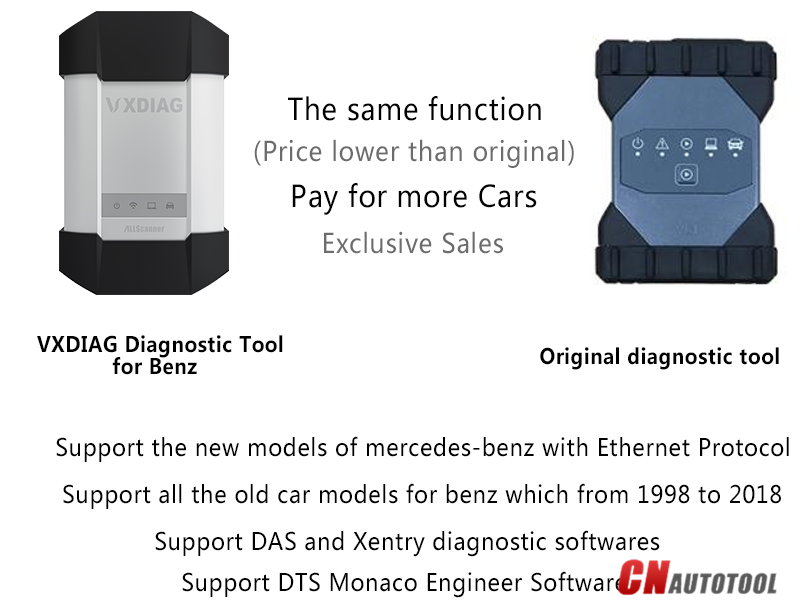
VXDIAG For XENTRY Diagnosis VCI is the latest interface for For Mercedes & SMART vehicles can replace Star C4/C5. VXDIAG For XENTRY Diagnosis VCI acts as a Pass-through Interface, also called Star C6, For Benz C6 multiplexer to provide complete communication between a vehicle and the VXDIAG For XENTRY software loaded on a PC.
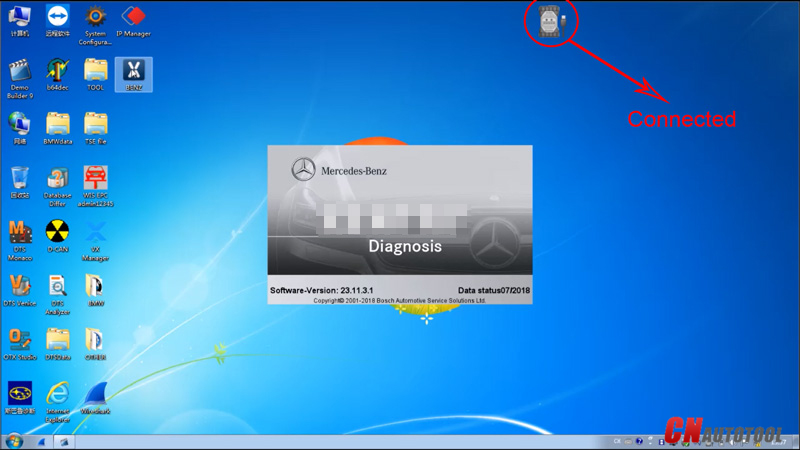
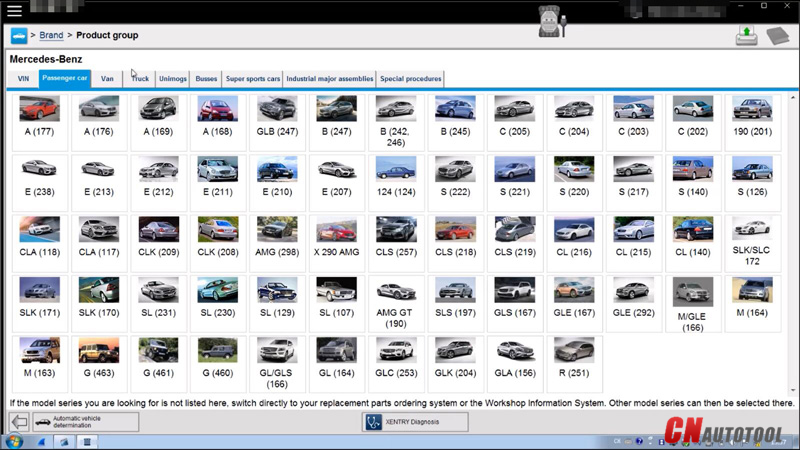
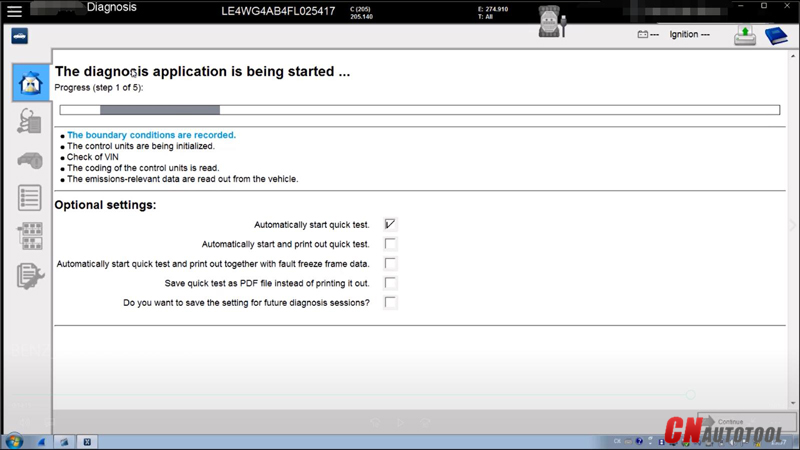
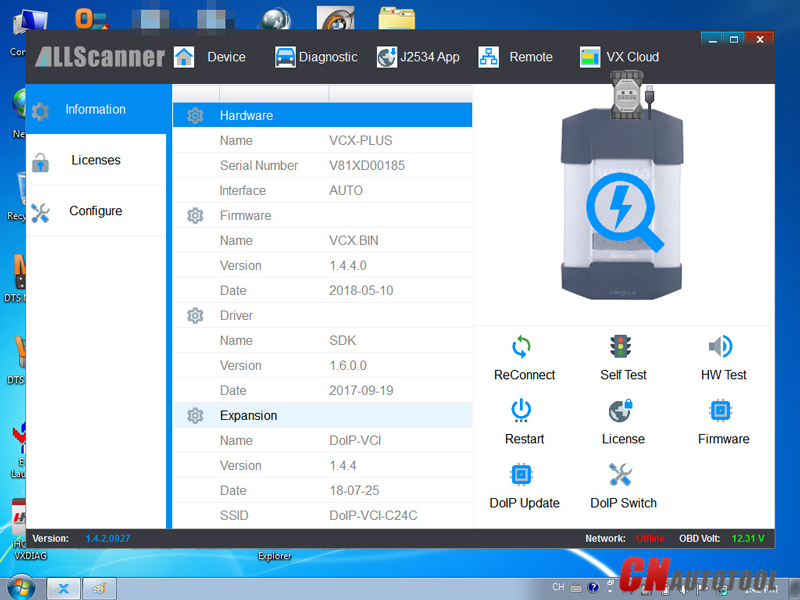
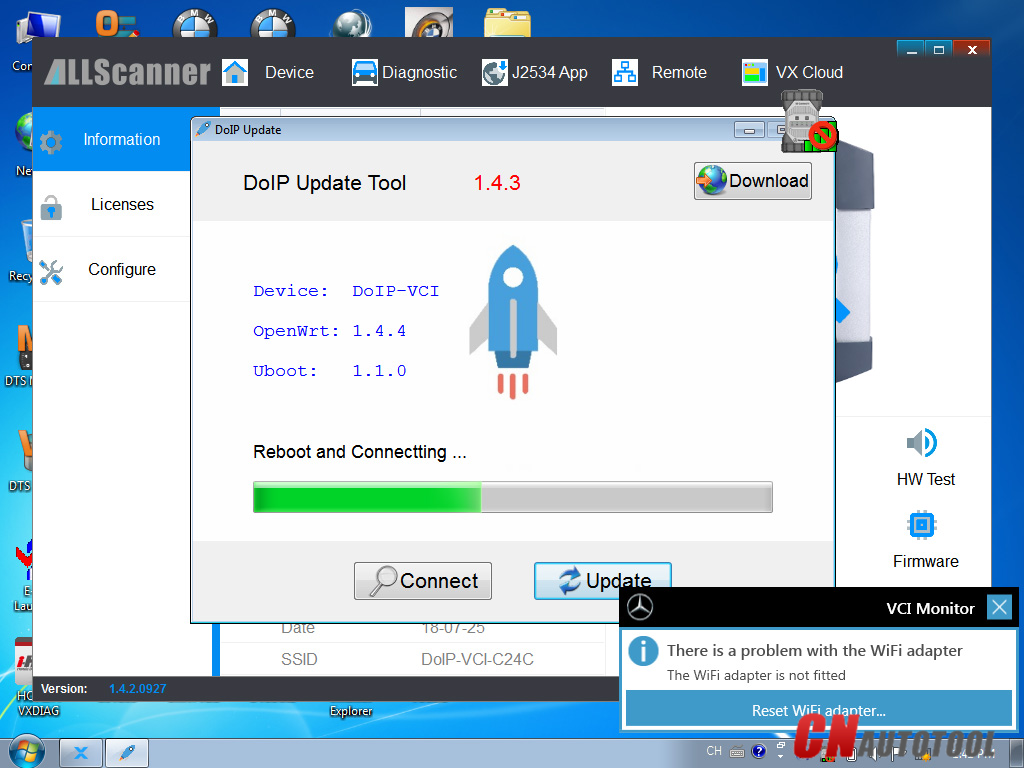
XENTRY Software Show:
13-1
13-2
13-3
13-4
VXDIAG MB SD Connect C6 XENTRY Diagnosis VCI Overview:
Compatible Software: XENTRY/Das Software
Support Vehicle: Mercede For Benz & Smart vehicles
DoIP: Support DoIP
Functions: Star Diagnostic & programming (SCN Coding)
Please pay attention that DOIP and SCN coding functions need you have an authorized online account .
13-5
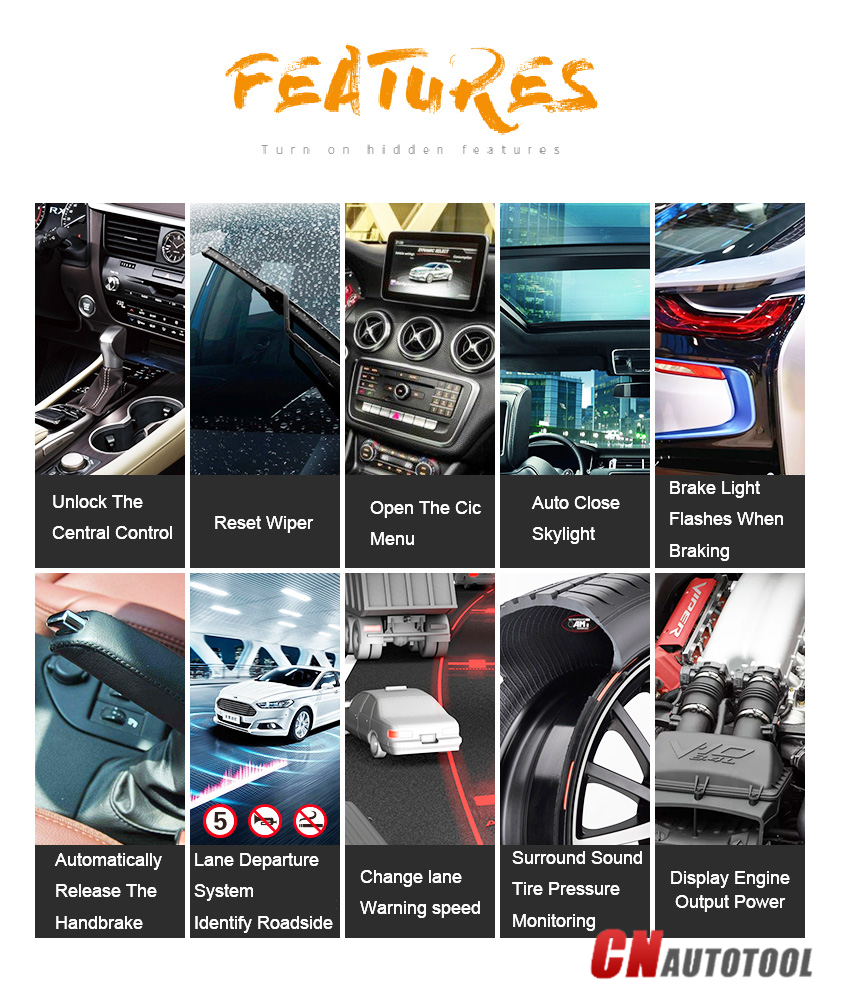
VXDIAG MB SD Connect C6 XENTRY Diagnosis VCI Features:
1. VXDIAG For XENTRY Diagnosis VCI can be used for all model series of For Mercedes For Benz vehicles
2. VXDIAG For XENTRY Diagnosis VCI support DoIP, cover more functions during SCN Coding than SD C4/C5
3. VXDIAG For XENTRY Diagnosis VCI functions including diagnosing, programming, simulation studying, repair information, automotive maintenance, technical service bulletin and so on
4. VXDIAG For XENTRY Diagnosis VCI Diagnosis updates no longer necessary – firmware updates required on rare occasions
5. VXDIAG For XENTRY Diagnosis VCI does not need a power supply unit for external power supply
6. VXDIAG For XENTRY Diagnosis VCI Handy multiplexer with a small, sturdy construction (no PC core, battery, fan, or display)
7. Engines (All Gasoline & Diesel Systems)
8. Transmissions and Electronic Selector Modules
9. Airmatic and Active Body Control Suspension Systems
10. Traction Systems: ESP / ASR / ETS / ABS / BAS / SBC braking systems
11. Supplementary Restraint Systems (SRS) / Airbag, All body modules OCP / UCP / LCP / SCM / SKF / KFB / RCM / DCM’s
12. Drive Authorisation System
13. Sam (Signal Acquisition) Modules
14. Electronic Ignition System (EIS)
15. Pneumatic System Equipment and ATA functions
16. Air Conditioning / climate control Systems
17. Instrument Cluster
18. Tyre Pressure Control
19. Parktronic System
20. Keyless Go
21. D2b Command & Audio Gateway (D2B and MOST networks)
22. TV Tuner
23. Headlamp Range Adjustment
24. Seat Electronics
25. Rvc, RST & Vario Roof modules
26. Automatic Clutch System ACS
27. M-Class Body Modules (AAM / EAM / DAS / SEM / VG Transfer Case)
28. Assyst & ASSYST + systems
13-6
XENTRY Diagnosis VCI Summary:
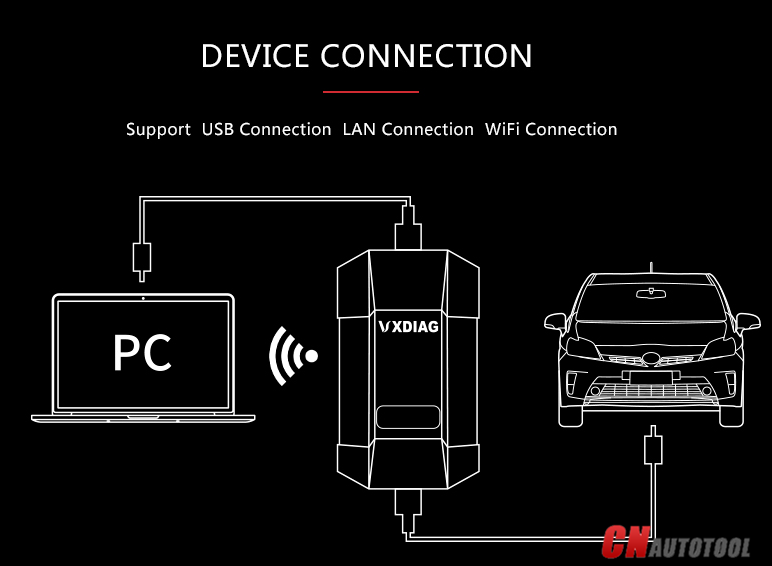
The new VXDIAG For XENTRY Diagnosis VCI (Vehicle Communication Interface) multiplexer serves as the interface to the vehicle when performing diagnosis and repairs, and programming electric and electronic on-board vehicle systems.
The VXDIAG For XENTRY Diagnosis VCI does not have its own PC core, battery, fan, or display. It is operated using the VXDIAG For XENTRY Diagnosis Pad via WLAN or a USB cable connection.
13-7
13-8
13-9
13-10
Notice:
1. If you select the laptop , please install the 500GB HDD on laptop above 4GB Memory and I5 CPU, and use it on one laptop only. If change laptop, software may get broken and need to ship HDD back to us to copy software again.
2.You also can watch more videos to get more technical support from official website: http://www.vxdiag.net
3.This VXDIAG can/'t support All Key Lost,needs one key at least.
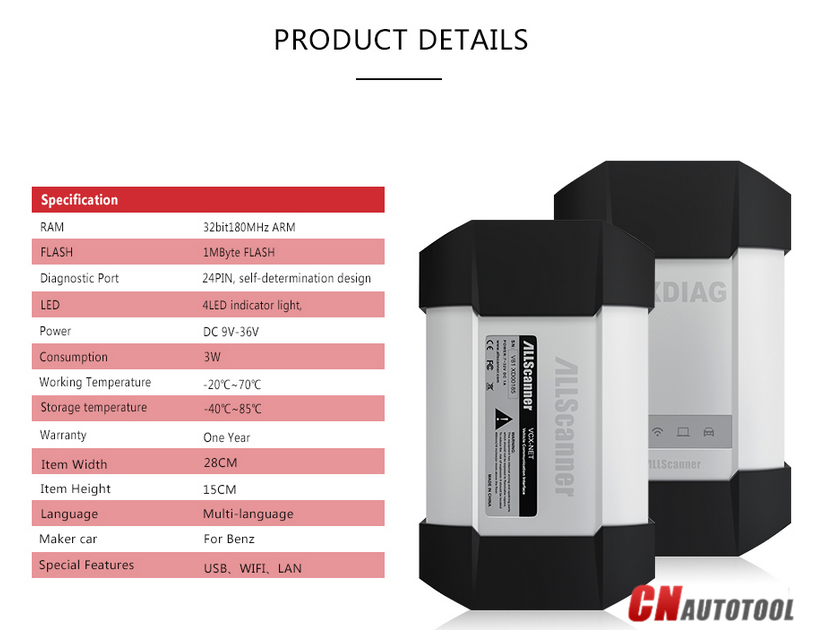
Specification:
Item State
RAM 32bit180MHz ARM
FLASH 1MByte FALSH
Diagnostic Port 24PIN, self-determination design
LED 4 LED indicator light,indicate power and status.
Power DC 9V-36V
Consumption 3W
Working Temperature -20°C~70 °C
Storage Temperature -40°C~85 °C
Warranty: One Year
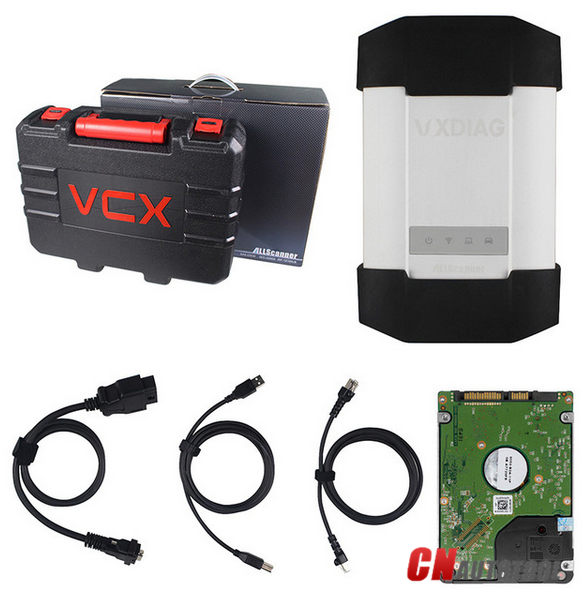
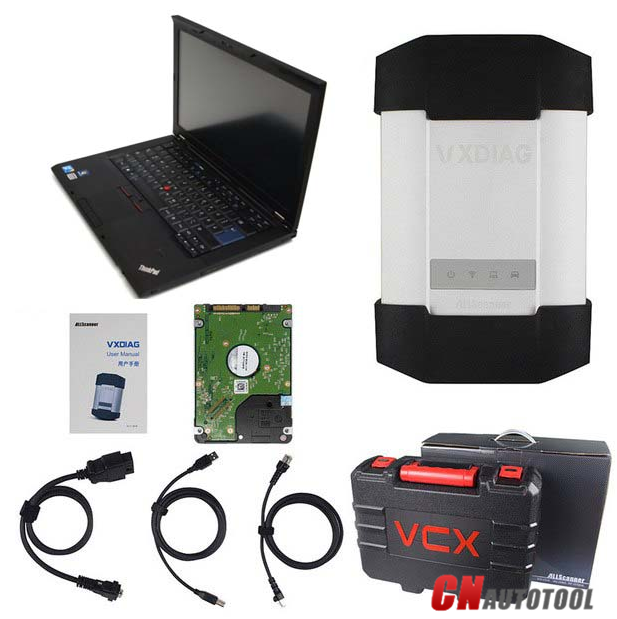
Option 1 :
1pc x VXDIAG VCX-PLUS
1pc x OBDII Cable
1pc x USB Cable
1pc x 500GBhdd(Software version : V2018.07)
13-11
Option 2:
1pc x VXDIAG VCX-PLUS
1pc x OBDII Cable
1pc x USB Cable
1pc x Second-hand Lenovo T410 Laptop with 4GB Memory I5 CPU and 500GB HDD
13-12
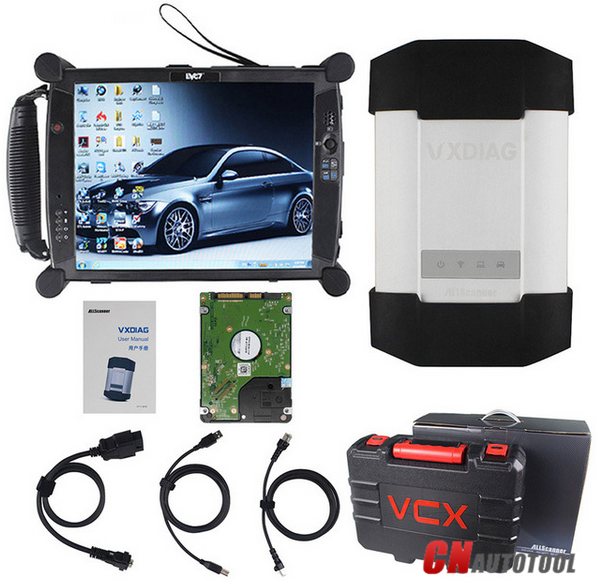
Option 3:
1pc x VXDIAG VCX-PLUS
1pc x OBDII Cable
1pc x USB Cable
1pc x New EVG7 Tablet PC with 4GB Memory and 500GB HDD
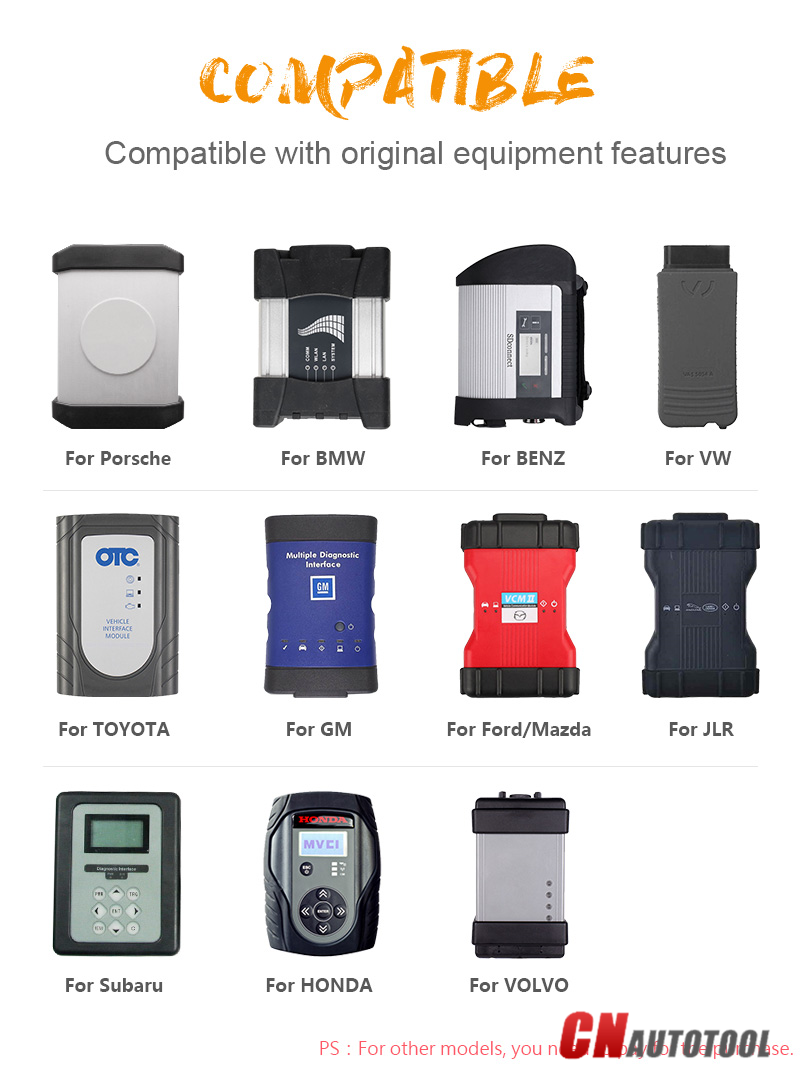
VXDiag MB SD Connect C6 support add more original software in feature, you only need buy authorization from us. Already released original software authorization has:
GM,Ford,Mazda,Toyota,Honda,LandRover,Jaguar,Subaru,Volvo,VW,and Porsche.
13-13
If you want to add the above software , you can contact us directly
www.cnautotool.com

2018年11月24日星期六

Nexiq USB Link 2 Review Troubleshooting and Testing


Nexiq USB Link (Original) Discontinued
In early 2015, Nexiq Technologies discontinued the “tried and true” original Nexiq USB Link. This adapter had been around for around 7 years, and was wildly popular. One of the main reasons that the Nexuq USB Link became so popular was because of their distribution. Nexiq is 100% owned by Snap On, so between the large marketing spends, industry trade shows, and Snap On tool trucks, Nexiq has an unmatched distribution network. The other large source of their distribution comes from formal truck dealerships, as Nexiq is the recommended product for various truck manufacturers such as International, Freightliner, and many others.

Nexiq USB Link 2 Changes

We’ve literally sold over 1,000 of the original Nexiq USB Link, so to say we are familiar with them is an understatement. Lets talk about some of the changes that we’ve noticed with this new and improved USB Link 2.
Packaging/Box

The first thing we’ve noticed is that Nexiq is no longer packaging their adapter in the “Nexiq Box” that they’ve frequently used for not only the USB Link, but other products

Original Nexiq USB Link Box

Nexiq has decided not to provide this packaging with the new USB Link 2, but I guess who really cares about packaging?


The Nexiq USB Link 2 Box

 Design

For all its popularity, the original Nexiq USB Link had some serious design issues. The main issue was with the USB connector at the bottom. The original design was very poor, and lets face it, these devices are being used by diesel and auto technicians. To say they are rough on tools would be an understatement. The main problem is that due to the bending of the USB cord and constant plugging/unplugging of it, the USB port would break off the motherboard inside the device. When this happened, you would have to send it to Nexiq to be repaired. Although the cost wasn’t bad (Around $150), the downtime of 3-4 weeks is what made it difficult for people. Nexiq did go through a couple “fixes” for this, such as creating a USB Link restrainer (shown below) and upgrading the USB port to the heavy duty “orange” style. By using both of these options, it did tend to help the issue. I only bring this up, because the new USB Link 2 appears to have solved that issue. The design they’ve come up with made it so that the USB cable really can’t be pushed around, and it gets “socketed” into the adapter.


Beyond the USB port redesign, the shape is obviously different as well. The new USB Link 2 has the black plastic grabbers on the side, and is a more “boxy”  shape that all the vehicle interfaces seem to be going towards. The adapter also has indicator lights for power, traffic, Bluetooth, and faults.

Perhaps the largest design change is where the cables attach to the USB Link 2. The original USB Link used a standard 15-pin connector, and life was good. There were a ton of aftermarket cables available, all of which sold for under $40. This included replacement 6/9 pin cables, OBDII cables, Volvo 8-pin & 14-pin, Cummins 3-pin, and many more. With the new adapter, Nexiq has changed to a 26-pin connector as shown below. While we can’t find a reason for this on the Nexiq website, we can only assume that this is to handle the new CAN2 protocol standard.

 Package Contents

Nexiq from CnAutotool.com has also changed the contents of the package. The USB Link 2 no longer comes with any installation media, but this actually makes sense. Since Nexiq appears to update drivers every 60 days or so, the CDs that used to come with the original unit were often outdated by the time the customer received the unit. To force the customer to download the latest versions from their website isn’t a horrible thing, and it also makes sure that customers will always install the most recent version.


As with the late model original USB Links, Nexiq is now supplying a very long 6/9 pin connector. It is roughly 3′ long. Our assumption for this design change is that on the previous models with the short connector, it would sometimes cause the adapter to hang in a location that could cause it to be damaged if the door of the cab was closed on it. This new model also includes the standard 15′ USB cable.
Software

Since there is no media included with the USB Link 2, you will need to download it from Nexiq’s website. As of this posting, the most current version is v1.0.16. This download will also install the most recent version of Device Tester, so that you are able to troubleshoot connection problems. Remember: The adapter does not come with any diagnostic software. All of that must be purchased separately.
Faster & More Powerful

According to Nexiq, the largest changes have occurred inside the adapter itself. Here are the spec upgrades:

~ Fives time faster than its predecessor (125032)
~ Sixteen times more RAM (random access memory)
~ Supports heavier bus loads on simultaneous channels
~ New Bluetooth module with enhanced data rate to support wireless communication (500K b/s on J1939)
~ USB connector is a more robust, automotive grade quality connector with latching mechanism

Conclusion

The Nexiq USB Link 2 is much improved design, and we are sure that it will sell very well for a long time given its history and distribution network. We are constantly lurking in message boards and forums, and there have been reports of it not working with various equipment, but these are usually unfounded. We have yet to run across an application that would NOT work with the USB Link 2. If you do have one, please leave a comment below and let us know!

Once some aftermarket cables are available for this communication adapter, it will make the pain much easier for people to switch. If you are upgrading from the original the new model, you will have to install the new drivers, along with changing all your software programs to work with it.

If you are looking to purchase one, you can head over to our online store. Shameless plug: We carry these in stock, ship quickly, and help support them after! We will soon be releasing a video on this product, along with a Companion Guide as well.

2018年11月21日星期三

Review of Allscanner VXDIAG multi diagnostic tool Ford/Mazda


Hello guys,I do a review on the Allscanner VXDIAG Car Diagnostic Tool multi diagnostic tool (Ford/Mazda/Honda/JLR/Toyota/Subaru).
I own one of them with licence for Ford/Mazda/Honda/JLR.

VXDIAG multi diagnostic tool Ford/Mazda


I’ve been having problems using it with Ford/Mazda IDS at first but now I’ve come to a point where I succeed using it for programming Ford/Mazda cars.
To be honest… that’s the only function I was looking for…. Programming or reprogramming Ford/Mazda modules but I had honda & JLR licence for 10$ extra so I went for it, but Honda HDS software that works with it is very old… (3.014…useless) and I feel safer to run JLR with my cardaq+
DO NOT INSTALL PASSTHRU DRIVER , ONLY FORD VCM2 DRIVER
I think that’s the main reason I wasn’t able to program module with it… now that I only use VCM2 driver, it’s working.
I’m making a list of the functions I tried and the result of these tests.
2005 Ford Five Hundred (3L)Ford IDS 101.4 (VM)
GEM module reprogramming – SUCCESS
2008 Mazda 3 (2L)Mazda IDS 103.02
PCM module reprogramming – SUCCESS
2007 Ford Expedition (5.4L)Ford IDS 101.4 (VM)
DSCM module installation (PMI) – SUCCESS
LTM Liftgate/trunk module reprogramming – SUCCESS
PCM module reprogramming – FAILED (had to use FMP)

2018年11月19日星期一

How to register AUTEL MaxiSYS MS906 Automotive Diagnostic Scanner?


How to register AUTEL MaxiSYS MS906 Automotive Diagnostic Scanner?

Recently, I purchase one set Autel MaxiSYS MS906 . I am wondering how can I register this tool online. Anybody Share experience with me?

If you meet same problem with the above customer, please no hesitate to contact our sales service < sales at www.cnautotool.com >.

Or you can follow this instruction, hope it can help you.

1. Visit the website : http://pro.autel.com.

2. On the Sign In page, input your account ID and other information to log in, if you already have an account.

3. If you are a new member to Autel and do not have an account yet, click the Create Autel ID button on the left side.

4. Enter the required information in the input fields, read through Autel’s Terms and Conditions and tick on Agree , and then click Create Autel ID at the bottom to continue.

5. The online system will automatically send a confirmation email to the registered email address. Validate your account by clicking the link provided through the mail. A product registration screen opens.

6. Find out the AUTEL MaxiSYS MS906 serial number and password from the About section of the Settings application on the display tablet.

7. Select the product model of your MaxiSYS MS906 enter the product serial number and password on the Product Registration screen, and click Submit to complete the registration procedure.

WWW.cnautotool.com dot com offer AUTEL MaxiSYS MS906 with competitive price and 2 Year Online Update. This scanner replace Autel MaxiDAS DS708, Autel ms906 run faster. It save cost for you to update after 1 Year.

2018年11月18日星期日

Comparation Autel MaxiSys MS906 VS MS906TS VS MS906BT


MaxiSys MS906 VS MS906TS VS MS906BT have the same function, but also have many different as follow:
A:Function: MS906<MS906BT< MS906BT 
B.MS906TS is added TPMS function based on MS906BT.
C.MS906 has the same apperance with MS906BT,  But MS906BT has a few advantage than MS906:

 
1. MS906BT is installed Bluetooth, allowing diagnosis wirelessly.
2. MS906BT’s diagnostic coverage includes premium vehicle brands such as Maserati and Bentley, which would be required for high-end service shops.
3. MS906BT supports oscilloscope and digital inspection camera add-ons which are not supported by MS906.
4. Finally, MS906BT has the capability to perform coding for covered vehicles.
The MS906BT  have all the capabilities of the maxisys mini ms905 as far as vehicle coverage and capabilities for codes, live data, actuation tests, adaptations and ECU coding .comparing the new MS906BT to the MS905 and they are similar in size but the MS906BT seems to have improvements such as faster processors, slightly larger screen, twice the battery capacity and better camera
MaxiSys MS906BT from CnAutotool.com is the latest addition to the MaxiSys product line of advanced wireless diagnostic devices. The device is based on the Android operating system featured with the best possible coverage of OE-level diagnostics and ECU coding capability. Utilizing the powerful Exynos 5260 6-core processor (1.3 GHz quad-core ARM Cortex-A7 + 1.7 GHz dual-core ARM Cortex-A15), an 8” capacitive HD touch screen, and long-distance wireless communication, the MaxiSys MS906BT efficiently provides comprehensive vehicle diagnostics and analysis.

2018年11月17日星期六

Original Autel MaxiSys Pro MS908P support 2 Year Free Update Online


 Our Advantages :

We offer two years free udapte on offical website, becasue we have purchased one more year update on line for our customers.

Software Version: Every Car Model Software Has A Different Version. Language: English.


From  CnAutotool.com MaxiSys Pro MS908P Feature:

1. 9.7 inch 1,024×768 LED-backlit glossy widescreen Multi Touch display with IPS technology
2. Extraordinarily powerful Cortex-A9 quad-core processor
3. Built-in rechargeable lithium-ion battery for up to 8 hours of continuous operation
4. Dual-band (2.4 GHz & 5.0 GHz) 802.11n Wi-Fi to access your favorite web resources
5. Built-in 5-megapixel rear camera with autofocus and flashlight
6. Unique shop tough ergonomic design features strong rubber protection and housing;
7. USB, audio and auxiliary ports make it easy to connect accessories
8. Complete capabilities for codes, live data, actuation tests, adaptations, coding and ECU programming
9. Internal reliable and fast 32GB Solid State Drive for better performance.


Autel MaxiSys MS908 Pro Software Advantage:

1. Extensive vehicle coverage for more than 80 US, Asian and European vehicle makes
2. Easy and intuitive navigation makes finding what you need simple and fast
3. Open source Android Operating System for fast boot-up and multitasking
4. Displays live data in text, graph, analog and digital gauge for easy data review and analysis
5. Configures display options, sets triggers, records and playbacks results with one touch
6. Cloud-based Data Manager saves customer and vehicle records, scanner data and technician notes

2018年11月14日星期三

AUTEL MaxiSYS MS906BT


  The MS906BT  have all the capabilities
of the maxisys mini ms905 as far as vehicle coverage and capabilities
for codes, live data, actuation tests, adaptations and ECU coding
.comparing the new MS906BT to the MS905 and they are similar in size but
the MS906BT seems to have improvements such as faster processors,
slightly larger screen, twice the battery capacity and better camera


 MaxiSys MS906BT is the latest addition
to the MaxiSys product line of advanced wireless diagnostic devices.
The device is based on the Android operating system featured with the
best possible coverage of OE-level diagnostics and ECU coding
capability. Utilizing the powerful Exynos 5260 6-core processor (1.3 GHz
quad-core ARM Cortex-A7 + 1.7 GHz dual-core ARM Cortex-A15), an 8”
capacitive HD touch screen, and long-distance wireless communication,
the MaxiSys MS906BT efficiently provides comprehensive vehicle
diagnostics and analysis.