2021年2月7日星期日

The JPRO Professional Truck Diagnostic Tool


The JPRO heavy duty scanner diagnostics software is user friendly, it displays/erases SAE (generic) and OEM Engine, ABS, Transmission & Chassis Codes. The screen controls and menus are the same no matter which factory software is loaded on your computer

Heavy duty diagnostic tool JPRO support Mack, Volvo, Cummins, Detroit Diesel, International & PACCAR. ford, GM, Isuzu & Sprinter

Is JPRO Diagnostics capable of parameter adjustments? No, JPRO Diagnostics is a diagnostic tool only.

Can JPRO heavy duty trucks Diagnostics clear Fault Codes?   Yes, JPRO heavy duty trucks Diagnostics has the ability to clear both active and inactive fault codes. JPRO  Diagnostics can also clear a single selected fault code.

Does JPRO Professional Diagnostic Tool work on a PC running Microsoft Windows Vista?  JPRO Professional Diagnostic Tool support Windows 7 Ultimate 32bit&64bit,Windows 7 Professional 32bit&64bit

JPRO Truck Dignostic Tool Features:
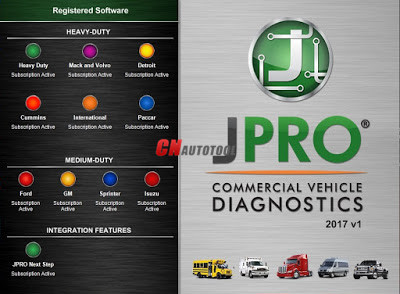
1.Includes Heavy-Duty Modules: Mack, Volvo, Cummins, Detroit Diesel, International & PACCAR
2.Includes Medium-Duty Modules: Ford, GM, Isuzu & Sprinter
3.Bi-Directional Controls – Perform parameter changes (Mack & Volvo), DPF Regens (Mack, Volvo, Cummins, Detroit Diesel, International & PACCAR) & bi-directional tests with proprietary data & faults
4.OE Level Fault Code Information – Display over 99% of Heavy-Duty & Medium-Duty fault codes with detailed OEM level component and trailer descriptions
5.Fault Management – Clears faults and diagnoses all vehicle components in a single, easy to use application
6.Vehicle Reporting – View and print log files, including: Vehicle Health, Trip Reports & LOV Reports
7.Store & Save Data – Record data log files for playback at a later time, even away from the truck
8.Total Vehicle Health Status – See the entire vehicle in one pass on one screen + Up-to-Date – Provides 99% coverage of all heavy-duty truck DTCs through 2016

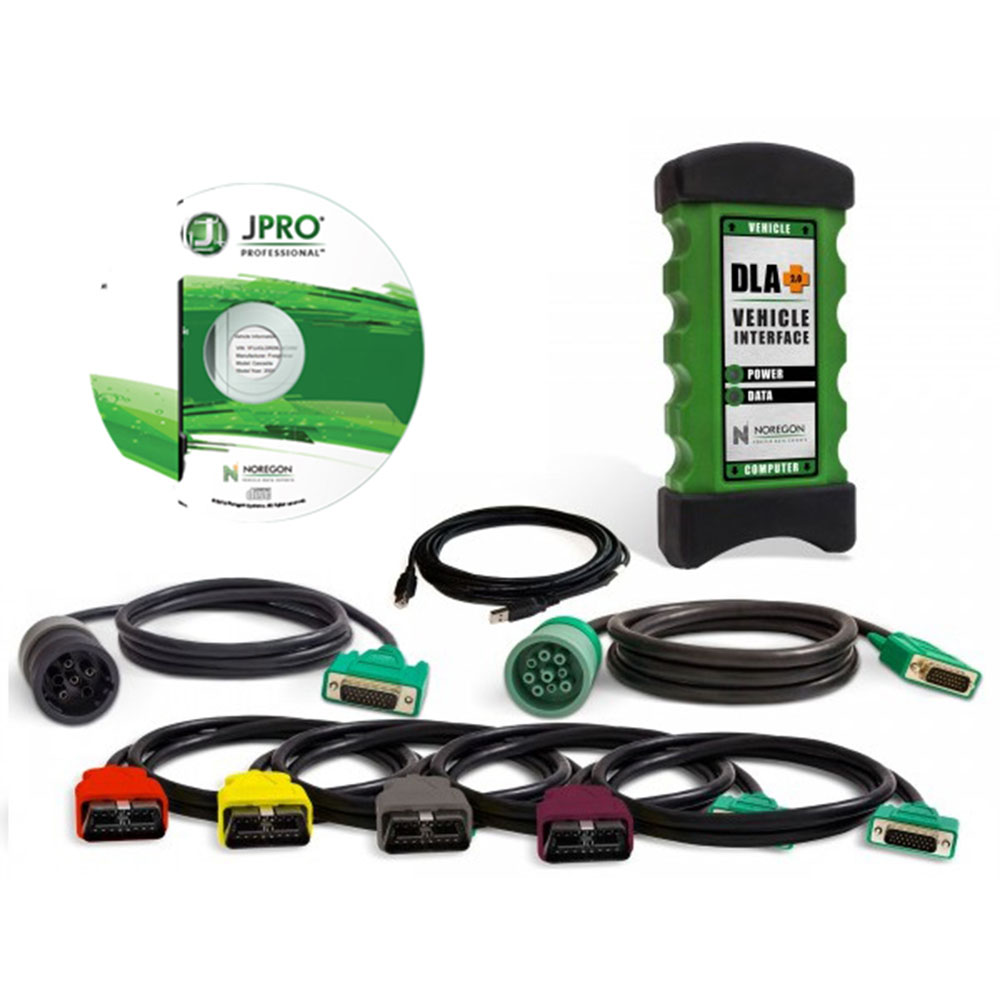
JPRO Heavy Duty Dignostic Tool Includes:
1.Software on DVD-ROM with Keygen and Drivers
2.JPRO DLA+ 2.0 Adapter Cable
3.Heavy-Duty Vehicle Cables (6-pin, 9-pin, OBD-II Type-B cable for Mack & Volvo)
4.Medium-Duty Type-B OBDII Cables (Ford, GM, Sprinter/Hino/Isuzu, Mack & Volvo)
5.USB Cable
1-3


2021年2月6日星期六

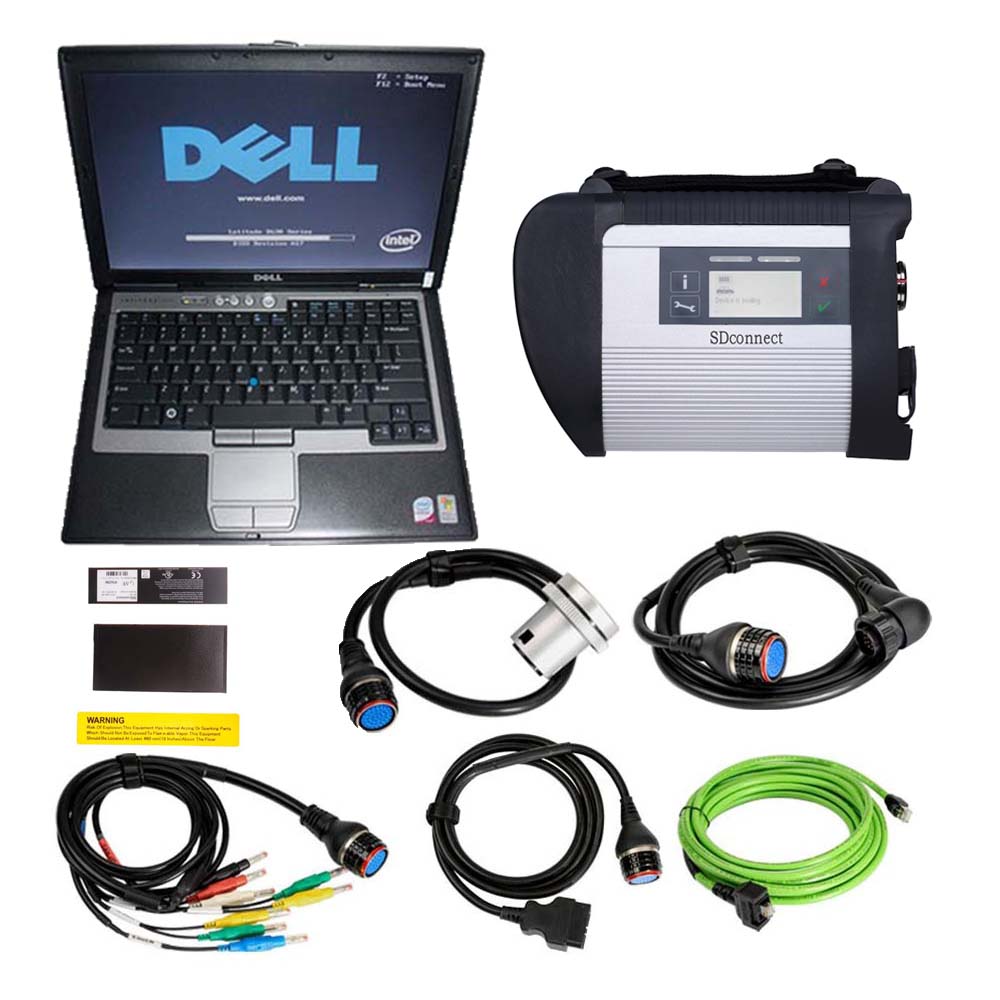
Why MB Star C4 Best For Mercedes Benz Diagnostic ?


Before this topic,let’s check following latest updated news for MB Star C4 MB SD Connect 4 first

Latest Software V2020.12 updated for MB Compact 4 Diagnostic Tools available.The new software provides more stable and better performance.

MB Star C4 MB Compact 4
2-1

Why MB Star C4 Best For Mercedes Benz Diagnostic ? Following is the answers shared by autocardiag.com customers

Customer A : I had have several diagnostic tools in the hand,but the MB Star C4 is the best one by far i used. Stable to use and the package comes with installed software,so i dont need to find software anywhere and the price is affordable too.

Customer B : I’m from Greece,c4 supports multi-languages,included greek,very easy to set operation menu languages setting.

Customer C :  works for both cars and trucks.This version is much better for cars.

Car and truck list :

A(176), A(169), A(168), B(246), B(245), CLC(117), C(204) C(203), C(202), 190(201), E(212), E(211), E(210), 124(124), S(222), S(221), S(220), S(140), S(126), E(207), CLK(209), CLK(208), CLS(218), CLS(219), CL(216), CL(215), CL(140) SLK(172), SLK(171), SLK(170), SL(231), SL(230), SL(129), SL(107), SLS(197), M(166), M(164), M(163), G(463), G(461), E(212), E(211), E(210), 124(124), S(222), S(221), S(220), S(140), CLK(209), CLK(208), CLS(218), CLS(219), CL(216), CL(215), CL(140), SLK(172), SL(231), SL(230), SL(129), SL(107), SLS(197), M(166), M(164), M(163), G(460), GL(164), GLK(204), R(251)

Van support list:

MB 100(631), T1, SprinterIII, SprinterII, SprinterI, Sprinter900, Citan, Vito(639), Vito(638), V(638), Viano(639), T2, Vario, Vaneo(414)

Truck support list :

Actros963/4, Actros2,3, AtegoIII, AtegoII, AxorII, Eonic, Zetros, Actros, Atego Light, Atego Heavey, HPN M96, Atron, HPN M2000, SKL, FSK, Further model series
Unimogs support list:U20, UGN, UHN

Customer D : Stable and fast wireless diagnose.

Customer E : very good figment, super quality nice and Good ends… nicely work Car-2016.


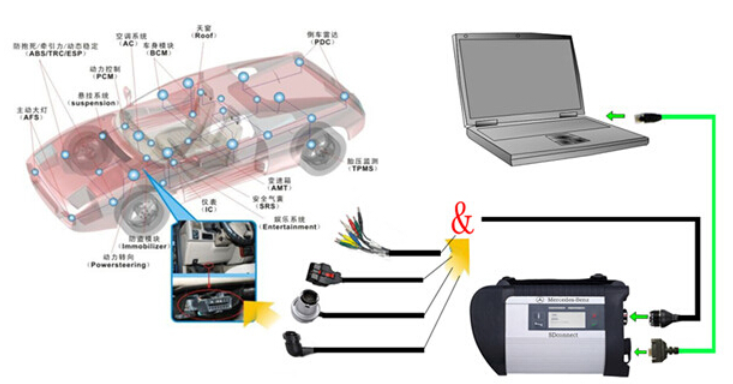
MB Star SD Connect C4 Wire Connection Picture:

1-2

MB SD C4 Wireless Connection Picture :

1-3

New MB Compact 4 Features
1. New MB SD Connect Compact 4 Star Diagnosis support wireless diagnose;
2. New MB SD Connect Compact 4 Star Diagnosis not only support K line diagnose and CAN BUS,but also UDS diagnose protocol.

Because old MB STAR C4 main board do not have UDS chip, so old MB STAR C4 can not support it;
3. Multiplexer now use Lan cable to connect
4. Connector adopt Military quick swap technology, it can support 10,000 times pull plug, more stable;
5. All core accosseries adopt original new packing chip, and 24hours test, guarantee the quality of the products;

To be honest,there have so many good feedbacks about MB SD Compact 4, and MB SD C4 already have a good reputation among mercedes benz home diagnose and if you are looking for a quality and professional diagnostic tool for benz cars and trucks,then buy mb star c4 with HDD will be your best choice.

2021年2月5日星期五

About Porsche PIWIS3 License and Laptop FAQ


Top 4 Reason to get Tester III Diagnostic Tool :
1. Exclusive support for P0rsche third generation diagnostic PIWIS 3
2. New DoIP Ethernet diagnostic technology
3. Luxury car diagnosis, ultra low threshold
4. Support Porsche Models after 2002.
Update method : Send SSD back or buy a new SSD

8-1

PIWIS III with Piwis 3 Software Details:
1. Software Version:
Dual System: V39.900 + V39.700
V39.900(with Engineering software support online programming)
V39.700(with Engineering software support offline programming)
2. Functions: Diagnosis and Programming
3. Update: By SSD
4. Connection: Via USB or Wifi
5. Support Vehicles: Support all Porsche till 2020
6. Password for Laptop: 123456
7. Multi-Languages: German, English, US English, French, Italian, Spanish, Japanese, Chinese, Russia, Portuguese, Nederlands


Porsche PIWIS3 License and Laptop FAQ
Q: Does Porsche PIWIS3 support French?

A: Yes. You can configure language by yourself.

Q: Can I use my personal computer?

A: No, the computer and the device is bound together. Because The Piwis III is bound with the encrypted

chip. If you unplug the hard disk and insert into the other computer, then the software will has no nonsense.

Q: Can i add Porsche piwis3 authorization to the vxdiag full device?

A: Yes, only to VXDIAG FULL multi device. But need to purchase laptop additionally to use with PIWIS3. But if you buy VXDIAG Porsche PIWIS3 hardware, you are able to add other car brand license.

Q: Can i add Mercedes and BMW and Land Rover license to VXDIAG Porsche PIWIS3 hardware?

A: Yes. it can.

Q: What’s the difference between PIWIS2 and PIWIS3?

A: PIWIS3 has all functions of Piwis2. PIWIS3 supports newer Porsche model with DoIP protocol, PIWIS2 does not.

Q: Is it online access possible for VXDIAG Porsche?

A: Yes, but you need online access account. We don’t provide the account.

Q:Will porsche piwis 3 access 2018 GT3 RS and 2016 GT3 RS?

A: Yes. it will.

Q: Will Piwis III renew ECU. Can i pay you for online programming service?

A: PIWIS3 will renew ECU on Porsche. We don’t provide online programming service.

Q: Will PIWIS3 do new ECU programming or initialization? It is a Porsche 911 GT3 2019.

A: Yes. It will.

2021年2月4日星期四

The JPRO heavy duty scanner diagnostics software is user friendly


Description:
Everything you need to diagnose and repair heavy & medium-duty vehicles.

JPRO Professional truck scanner is the most comprehensive and powerful all makes, all models diagnostic tool available in the industry today. In one, easy annual subscription, JPRO provides a complete & unparalleled diagnostic service & repair solution with bi-directional functionality.

Next Step Service Information module helps speed up repair times by providing users with detailed engine repair information and troubleshooting guides for ABS and Transmissions – with the click of a button.

Noergon’s DLA+ 2.0 adapter is a diagnostic communication device designed to interface between a vehicle and PC via USB cable for diagnostic and vehicle information, re-programming or parameter adjustments.
44-1
JPRO Truck Dignostic Tool Features:
1.Includes Heavy-Duty Modules: Mack, Volvo, Cummins, Detroit Diesel, International & PACCAR
2.Includes Medium-Duty Modules: Ford, GM, Isuzu & Sprinter
3.Bi-Directional Controls – Perform parameter changes (Mack & Volvo), DPF Regens (Mack, Volvo, Cummins, Detroit Diesel, International & PACCAR) & bi-directional tests with proprietary data & faults
4.OE Level Fault Code Information – Display over 99% of Heavy-Duty & Medium-Duty fault codes with detailed OEM level component and trailer descriptions
5.Fault Management – Clears faults and diagnoses all vehicle components in a single, easy to use application
6.Vehicle Reporting – View and print log files, including: Vehicle Health, Trip Reports & LOV Reports
7.Store & Save Data – Record data log files for playback at a later time, even away from the truck
8.Total Vehicle Health Status – See the entire vehicle in one pass on one screen + Up-to-Date – Provides 99% coverage of all heavy-duty truck DTCs through 2016


The JPRO heavy duty scanner diagnostics software is user friendly, it displays/erases SAE (generic) and OEM Engine, ABS, Transmission & Chassis Codes. The screen controls and menus are the same no matter which factory software is loaded on your computer

Heavy duty diagnostic tool JPRO support Mack, Volvo, Cummins, Detroit Diesel, International & PACCAR. ford, GM, Isuzu & Sprinter

Is JPRO Diagnostics capable of parameter adjustments? No, JPRO Diagnostics is a diagnostic tool only.

Can JPRO heavy duty trucks Diagnostics clear Fault Codes?   Yes, JPRO heavy duty trucks Diagnostics has the ability to clear both active and inactive fault codes. JPRO  Diagnostics can also clear a single selected fault code.

Does JPRO Professional Diagnostic Tool work on a PC running Microsoft Windows Vista?  JPRO Professional Diagnostic Tool support Windows 7 Ultimate 32bit&64bit,Windows 7 Professional 32bit&64bit

Does JPRO Diagnostics support OBD II ? Yes, JPRO Diagnostics supports OBD II using the Noregon JPRO OBD II Adapter.


JPRO Heavy Duty Scanner Installation Notes:
This product is USB version, not WIFI version, please select the USB version driver. The installation steps are as follows:

21-2

21-3


http://obd2scantool.net/2021/02/04/the-jpro-heavy-duty-scanner-diagnostics-software-is-user-friendly/

2021年2月3日星期三

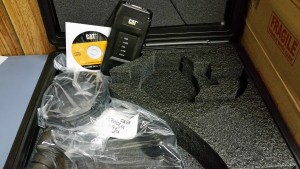
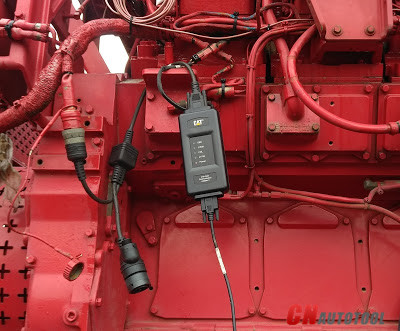
Know about How to connect the ECM by CAT Communication Adapter 3?


CAT Caterpillar ET

55-1
Test the Connection to the ECM Caterpillar Engines using CAT Communication Adapter 3 Toolkit

9-1

Use CAT Communication Adapter 3 Toolkit to test the connection between the CAT Communication Adapter 3 and the ECM Caterpillar Engines.
9-2
-Download Driver for CAT Comm Adapter 3 here:
CAT Comm Adapter 3 – v2.0
CAT Comm Adapter 3 – v4.4

Preparing to use the CAT Communication Adapter 3 Toolkit
1. Prepare your PC, and connect CAT Comm Adapter 3 to Diagnostic Port/Connector to the ECM.
2. Click “Start” – “All Programs” – “Caterpillar Comm Adapter 3” – “Comm Adapter 3 Toolkit”, or through shortcut “Comm Adapter 3 Toolkit” on desktop.

9-3

3. Once CA3 was detected, close the CAT Communication Adapter 3 Toolkit and open the CAT ET Software.
-The Connection message box is displayed while the service tool attempts to establish communications with the data link.
9-4
-To cancel all attempts to communicate with the ECM, click the “Stop Connect” button on the Connection message box. All functions that require an active data link connection are disabled. The service tool displays a blank main screen. The status bar is updated with the message “Disconnected.”

9-5

4. When communications are successfully established and a single ECM is found, the “ECM Summary” screen displays. When communications are successfully established and multiple ECMs are found, the ECM Selector dialog box displays. If the service tool connects to an ECM that is not supported by the subscription, the service tool displays a message and immediately disconnects.
9-6
5. If any problems while trying to Initializing communications to the ECM, it will displays “Cat Electronic Technician” message to provides information for correcting the problems as example below.

9-7
9-8

Click “Help” button

Troubleshooting Guide

2021年2月2日星期二

Launch X431 PAD V PAD5 Full System Professional Diagnostic Tool Features


X-431 PAD V is a high-end comprehensive diagnostic tool with charging base newly developed on the basis of Android 7.1. It supports dual 2.4GHz & 5GHz Wi-Fi communications, with features such as wide vehicle model coverage, powerful diagnostic functions, and accurate test data. Its IP65 case has exceptional damages resistance for water and dust, which will make workshop work easier and more comfortable. All these unique features will offer you a luxury experience of vehicle diagnosis.

Launch X431 PAD V Features:
1. Full vehicle system coverage for over 110 brands in the world, which is continually updated
2. Full-function scan tool for both cars and trucks
3. Support J2534, DolP, CAN FD and other protocols with SmartBox 3.0 connector
4. Automatically identify VIN upon connection to the vehicle for intelligent diagnosis
5. Remote diagnosis allowing you to work on a vehicle from your tool without being on-site
6. Read all OTC types for full system, view, graph and record data PIDs, support bi-directional controls, actuation test and all other diagnostic functions
7. Guided function for Volkswagen and Audi
8. Advanced coding and programming function
9. 16 special functions available
10. ADAS calibration function is optional
11. Compatible with 5 extended module: Oscilloscope, sensor, battery test, endoscope, WiFi printer
12. One-Click Upgrade and silent install for software
13. Diagnostic records and reports can be stored in the cloud without any concern of data missing
14. Integrated database with comprehensive vehicle service and repair information
15. The latest 2.4 & 5GHz Dual Wi-Fi with high transfer speed, strong anti-interference and long-distant diagnosis ability
16. IP65 case with exceptional damage resistance to the water and dust for workshop use
17. Docking & charging station included with QC3.0 Quick Charge technology
18. Support USB Type C & Type A

Extension Optional Modules:
1. Oscilloscope and ignition analyzer
2. Endoscope
3. Battery tester
4. Scope box
5. Sensor box: Sensor tester and simulator + Multimeter.
6. Static calibration accessory X-431 ADAS Pro.
7. DATA LAUNCH technical information.
8. Optional accessories: Furniture for stabilizer and diagnosis MB 90 and MB 80.

Launch X431 PAD V 5 Package List:
1 x X-431 PAD V main unit
1 x X-431 PAD V charging dock
1 x Smartbox 3.0 diagnostic connector
1 x Micro USB cable
1 x Cigarette lighter cable
1 x 5V DC out power adaptor
1 x Battery clamps cable
1 x OBD II extension cable
1 x Non-16pin connector converting cabel
1 x Password envelope
1 x Non-16pin connectors set

2021年2月1日星期一

Porsche piwis 3 V39.900 software update


Porsche piwis 3 V39.900 software update, comes with V39.700 + V39.900 dual system, supports Porsche vehicle till latest models. Comparing to piwis tester 2(which last software that was issued a few years back so there may not be updates for it) , piwis 3 tester software keep updating, and supports more new models, it supports all the older models that PIWIS 2 supported as well.

1.Piwis 3 With V39.900 Piwis III Software for Porsch Cars diagnostic & Programming.
2.Piwis 3 with developer mode software & TeamViewer Installed Lenovo Laptop Ready To Use, cover all piwis 2 functions.
3.With New DoIP Ethernet diagnostic technology,Supports Porsche Models after 2002.

Top 4 Reason to get Tester III Diagnostic Tool :
1. Exclusive support for P0rsche third generation diagnostic PIWIS 3
2. New DoIP Ethernet diagnostic technology
3. Luxury car diagnosis, ultra low threshold
4. Support Porsche Models after 2002.
Update method : Send SSD back or buy a new SSD

PIWIS III with Piwis 3 Software Details:
1. Software Version:
Dual System: V39.900 + V39.700
V39.900(with Engineering software support online programming)
V39.700(with Engineering software support offline programming)
2. Functions: Diagnosis and Programming
3. Update: By SSD
4. Connection: Via USB or Wifi
5. Support Vehicles: Support all Porsche till 2020
6. Password for Laptop: 123456
7. Multi-Languages: German, English, US English, French, Italian, Spanish, Japanese, Chinese, Russia, Portuguese, Nederlands

NOTE:
Lenovo Yoga with Dual system in one SSD, one system sofware is V39.900, another is V38.700, when your start the laptop, choose one software that you need, both software can be used.

Piwis III Supports New & Old Cars:
All Porsche from 1998-2020:
1.Porsche 911(997) (991)
2.Boxster/Cayman (987)
3.Cayenne up to MY 2010
4.Cayenne from MY 2011
5.Panamera

Especially the latest models:
1.Paramera (971) 2018
2.Caynenne (92A) 2018
3.Macan (95B) 2018
4.911 (991) 2018

Also support All Other Old car models

Porsche PIWIS TESTER PIWIS3 Features & Functions :
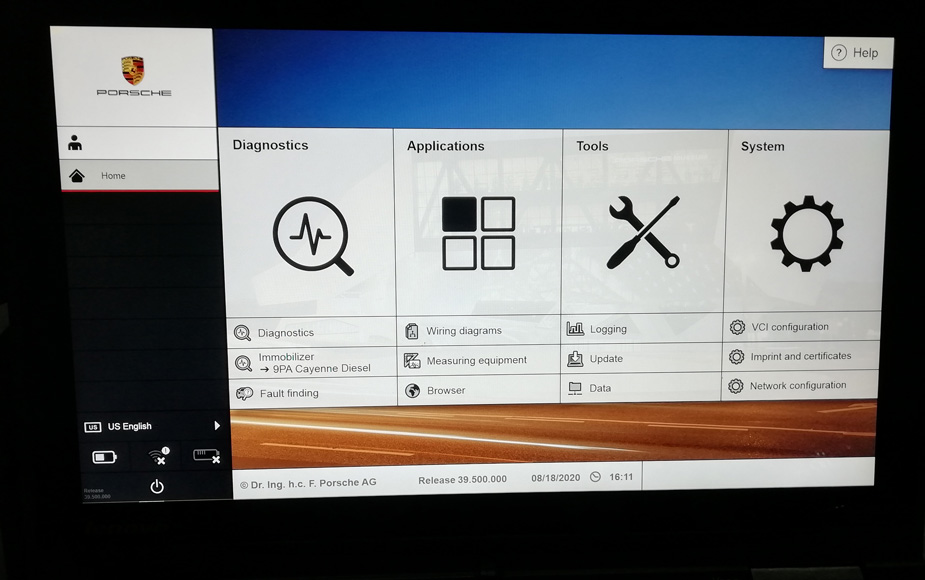
1. New operating system and more intuitive software interface
2. New VCI, support for models with DoIP diagnostics after 2017
3. Maintenance, repair, control unit replacement, programming code
4. Login online anti-theft matching programming
5. Guided fault finding
6. Maintenance circuit diagram view
7. Engineer mode (development version) can support special functions such as installing, modify, Flash.

Package Listing :
1× Piws3 Tester
1× OBDII Cable
1× USB Cable
1× 256GB Software SSD
1× Lenovo S1 yoga12 I5 5300U 8GB